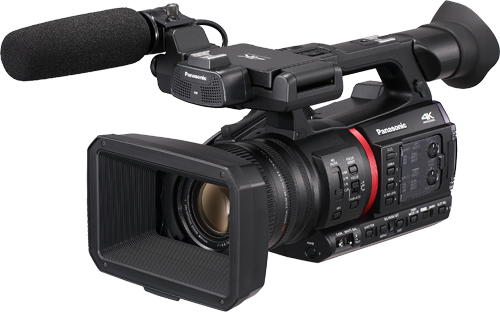
CX350
Source
This content is based on Cyanview's official manuals. Always check the official page for the latest information and precise specifications.
https://support.cyanview.com/docs/Integrations/Panasonic/CX350
https://support.cyanview.com/docs/Integrations/Panasonic/CX350
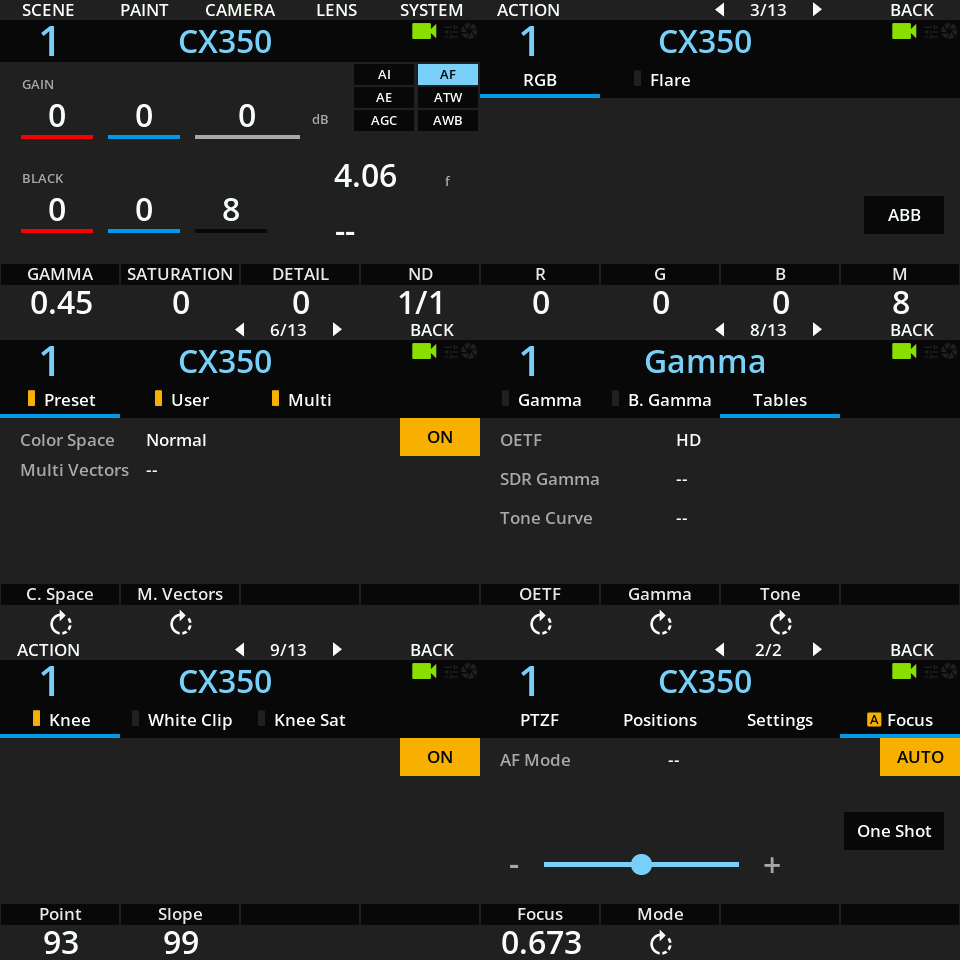
Supported Controls
| Control | Notes |
|---|---|
| Iris | Manual and auto iris (speed, sensitivity) |
| Gain | In dB, manual and auto (max gain and EV can be set) |
| Shutter | Speed or ECS |
| ND | Can be changed, but can't be recalled from scene files, as the protocol only allows control in increments |
| White balance | R/B gain, master gain, color temperature |
| Black balance | R/B gain, master black |
| Saturation and Hue | |
| Knee | Point and slope, auto |
| Black gamma | Master and range |
| Detail and coring | Detail level/freq/mix, coring level, skin detail (skin 1, skin 2, skin 3) |
| OETF | HD/SD/FILMLIKE1/FILMLIKE2/FILMLIKE3/FILM-REC/VIDEO-REC/HLG |
| Color space | NORMAL1/NORMAL2/FLUO/CINELIKE |
| Matrix and multi-matrix | Multi-matrix with 16-vector hue and saturation controls |
| Zoom and Focus | Controlled in speed; position is read-only |
| Other | Pattern, ATW, AWB, ABB |
| Menu navigation | ON/OFF, enter/back, up/down, toggle display |
info
The camera firmware must be up to date. At the time the official article was written, the latest AG-CX350 firmware was version 7.20-00.
Connection
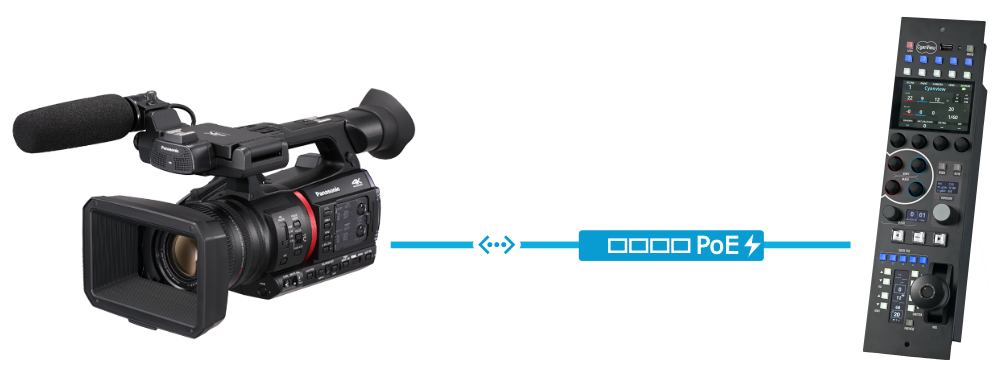
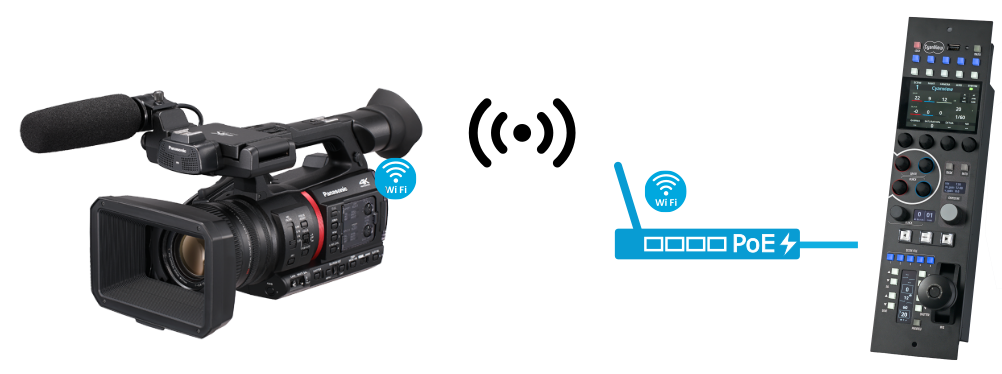
To control the camera, use either a wired Ethernet connection or the camera's built-in Wi-Fi. All communication is over IP.
Wired connection:
Wi-Fi connection:
Configuration
Camera
-
Set up your network, static or DHCP, under
NETWORK > LAN PROPERTY > IPV4 SETTING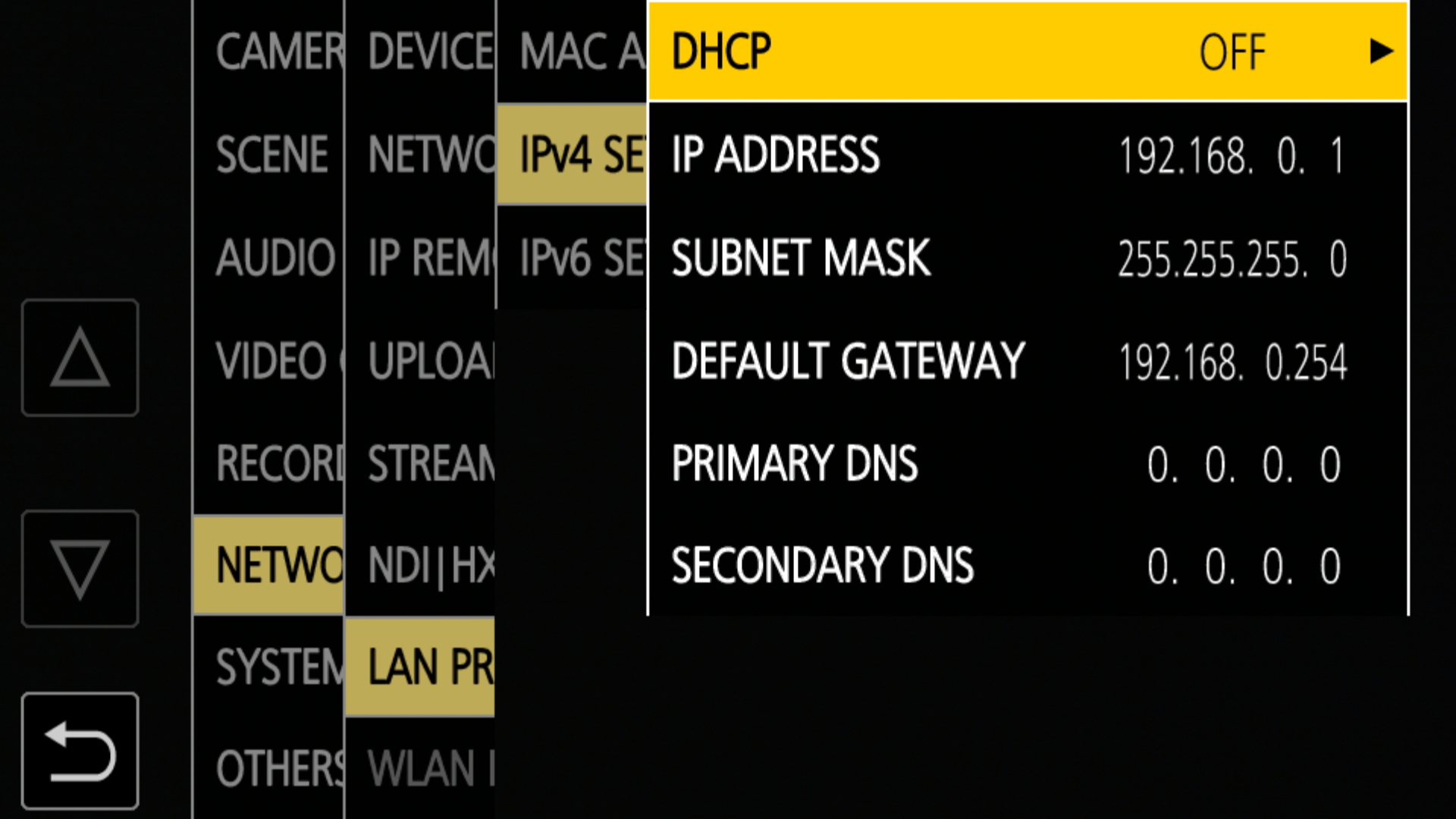
-
Enable remote control under
NETWORK > IP REMOTE(set it to ENABLE)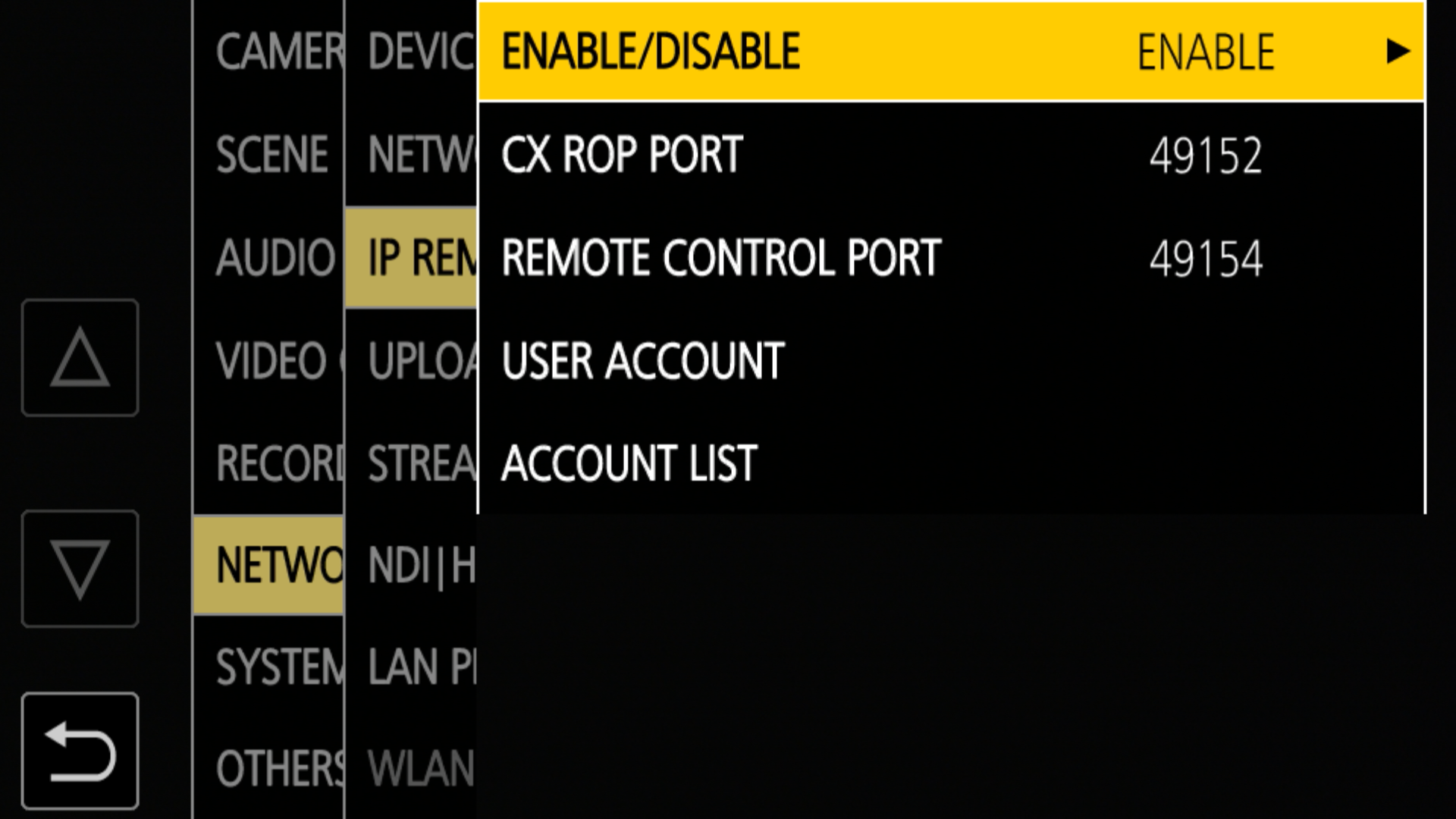
-
Set up an account (login/password) under
NETWORK > IP REMOTE(if there is no account in ACCOUNT LIST, create one in USER ACCOUNT)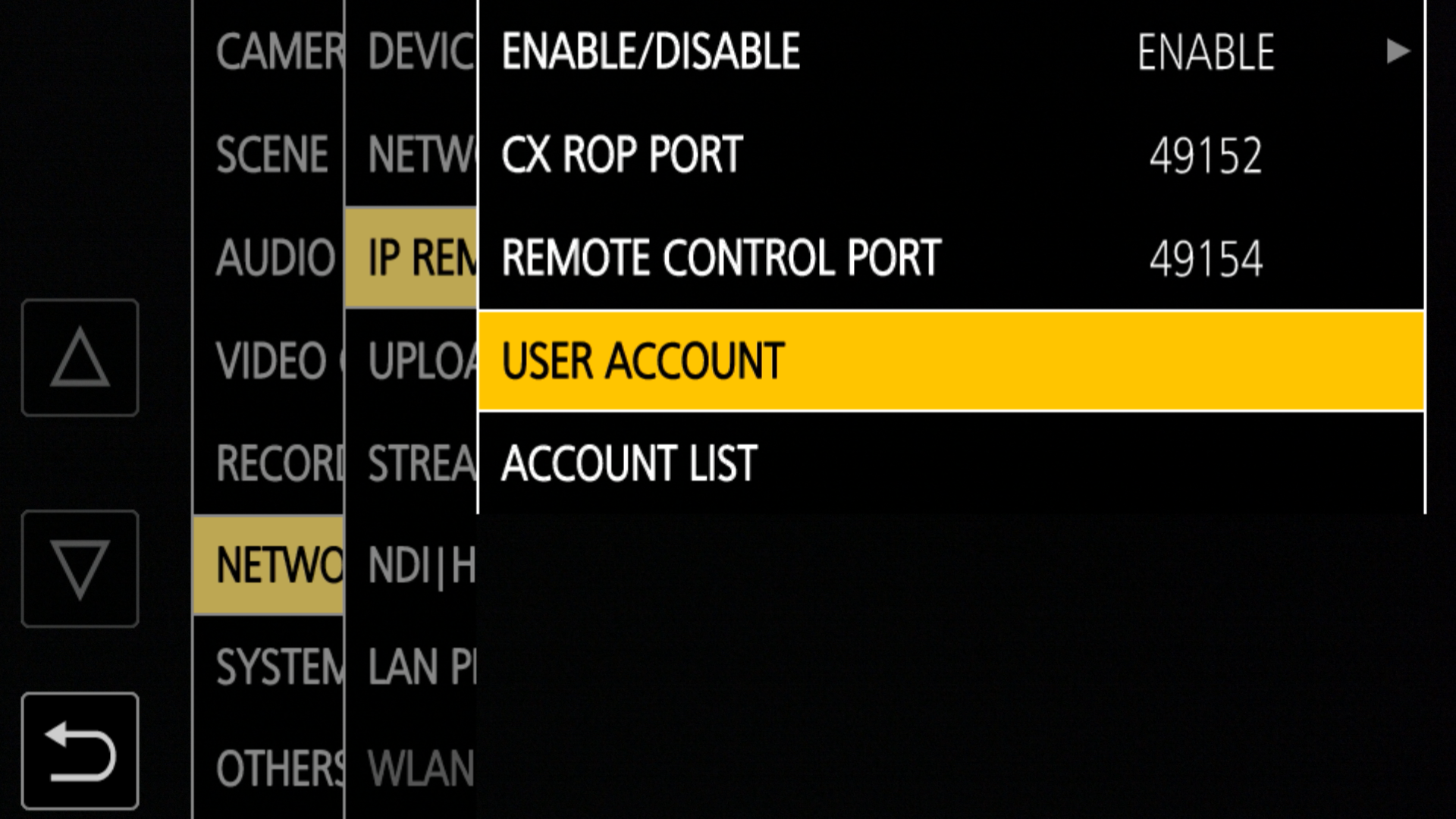
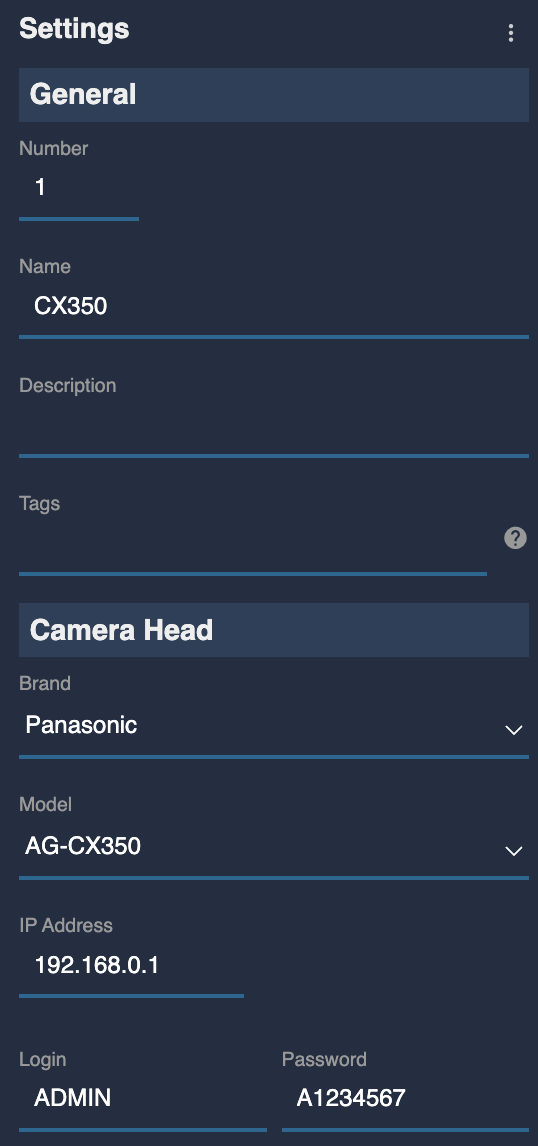
RCP
- Select brand Panasonic and model AG-CX350
- Enter the camera IP (
192.168.0.1in the official example) - Enter the login and password of the account you created in USER ACCOUNT