PTZ
https://support.cyanview.com/docs/Integrations/Panasonic/PTZ
This page describes how to configure Panasonic PTZ cameras.
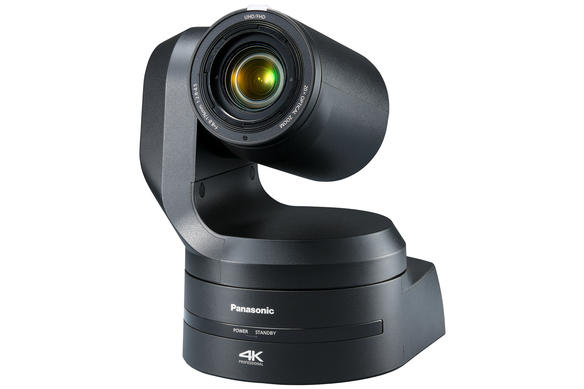
Supported Models
AW-HE series: AW-HE40, AW-HE42, AW-HE50, AW-HE60, AW-HE70, AW-HE120, AW-HE130
AW-UE series: AW-UE70, AW-UE100, AW-UE150, AW-UE160
AW-HR/UR series:
- AW-UR100 (select AW-UE100 instead)
- AW-HR140 (select AW-HE130 instead)
If you have a new model that is not listed yet, try selecting a similar model, as the most important commands are typically the same.
:::note Unsupported models The AW-UE20 and AW-UE4 are not supported. These models use ProAV-style controls such as brightness and contrast instead of traditional broadcast parameters like black level and gain, which are not currently supported. :::
Supported Controls
| Control | Notes |
|---|---|
| Exposure (Iris, Gain, Shutter, ND filter) | |
| White balance (R, G, B gains, color temperature) | |
| Black balance (R, G, B, master) | |
| Matrix | Only User mode allows manual matrix parameters or the multi-matrix. The matrix automatically changes from Normal/EBU/NTSC to User when you activate the Multi-Matrix or User Matrix. |
| Multi-Matrix | |
| Knee | |
| White Clip | |
| Detail | |
| Denoise | |
| Red/Green Tally | |
| Camera menu control | |
| PTZ (Pan, Tilt, Zoom, Focus) |
There are now more controls than this list (the official list is due to be updated). Nearly all paint settings of the cameras are available on the RCP.
Wiring
A typical setup involves multiple cameras controlled by a single RCP on an IP network. All Panasonic PTZ cameras accept multiple simultaneous connections, so the RCP can be used at the same time as the Panasonic PTZ controller panel.

Configuration
Communication is over IP, so configuration only involves adding an IP camera. See the Generic PTZ setup guide for details.
Avoid configuring multiple RCPs to control the same camera. If you need to control the same camera from multiple RCPs, configure it on one RCP and use REMI mode to control it from other devices. This minimizes the number of connections to the camera, which can otherwise slow down camera operations, especially on older models like the AW-HE120.