Sony Alpha
https://support.cyanview.com/docs/Integrations/Sony/SonyAlpha
Supported Models
| Model number | Name | Notes |
|---|---|---|
| ILX-LR1 | ILX-LR1 | |
| ILCE-1 | Alpha 1 | |
| ILCE-1M2 | Alpha 1 II | |
| ILCE-9M2 | Alpha 9 II | |
| ILCE-9M3 | Alpha 9 III | |
| ILCE-7RM5 | Alpha 7R V | |
| ILCE-7RM4 | Alpha 7R IV | |
| ILCE-7CR | Alpha 7CR | |
| ILCE-7SM3 | Alpha 7S III | |
| ILCE-7M4 | Alpha 7 IV | |
| ILCE-7C | Alpha 7C | |
| ILCE-7CM2 | Alpha 7C II | |
| ILCE-6700 | Alpha 6700 | |
| ILME-FX2 | FX2 | Requires RIO version 25.10.1beta2 or later |
| ILME-FX3 | FX3 | The FX3A requires RIO version 25.10.1beta2 or later |
| ILME-FX30 | FX30 | |
| ZV-E1 | ZV E1 | |
| ZV-E10M2 | ZV E10 II | |
| DSC-RX0M2 | RX0 Mark 2 |
:::note Latest Sony SDK only in 25.10.1beta2 and later Integrating the latest Sony SDK required deeper changes and dependencies in the RIO OS, so it is only available in RIO version 25.10.1beta2 and later. This is required for newer models such as the FX2 and FX3A, and for the newer camcorders (Sony PXW-Z200, PXW-Z300 and HXR-NX800; see Sony PXW/HXR). :::
Connection
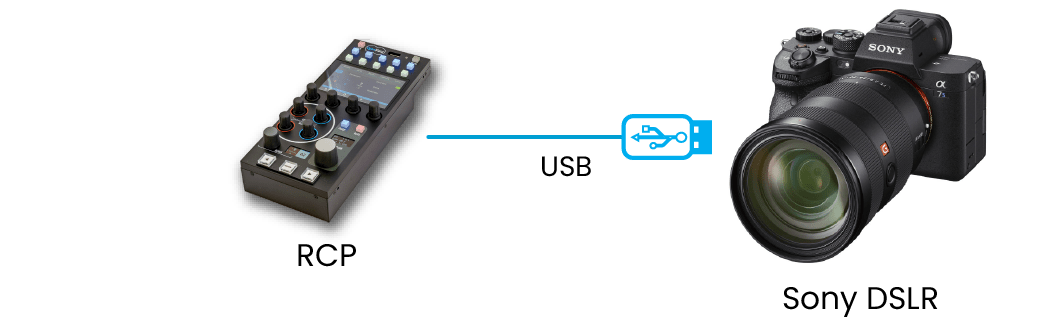
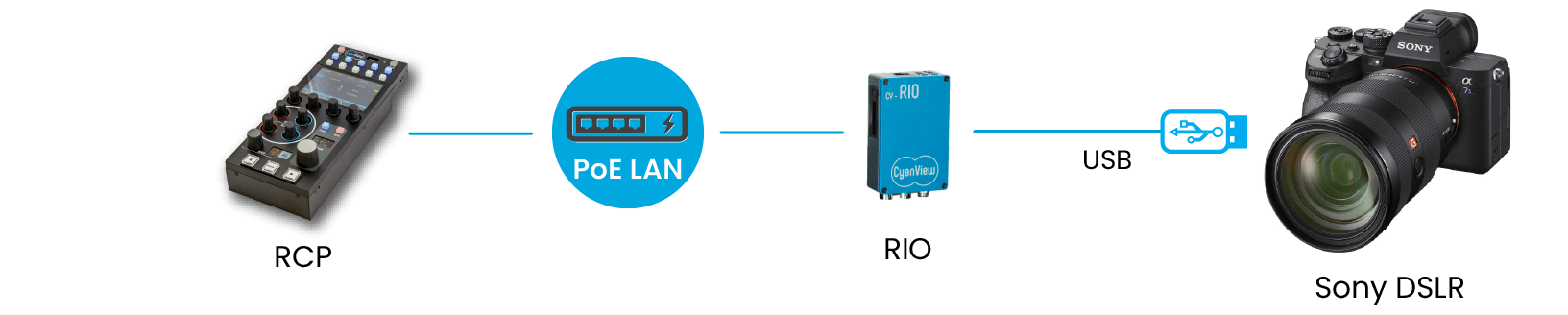
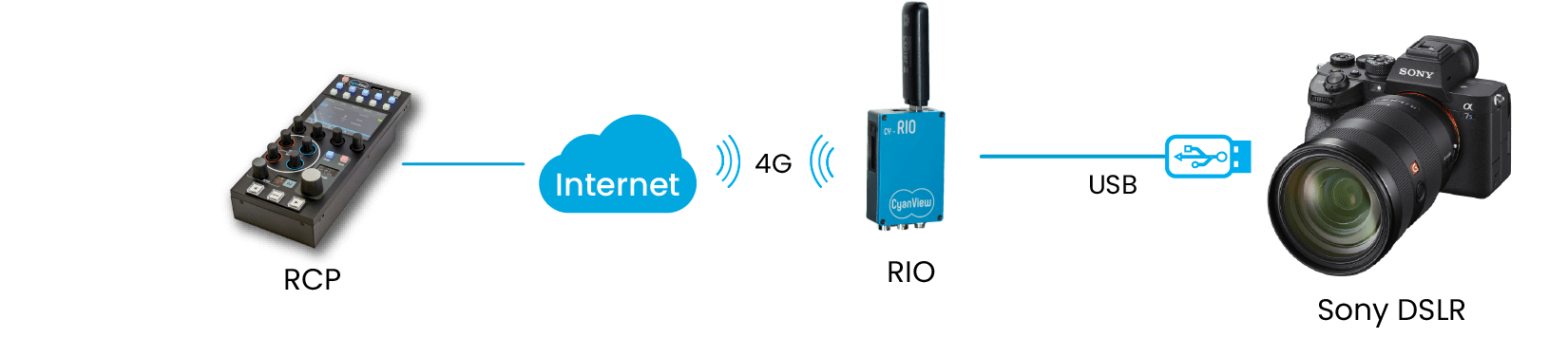
These cameras can be controlled directly from the RCP or via a RIO (local or remote).
- Directly from the RCP
- Via a local RIO
- Via a RIO over 4G (remote)
Supported Controls
Available functions depend on the model. The ILCE-9M2 / ILCE-7RM4A / ILCE-7RM4 / ILCE-7C only support iris, ISO, shutter, white balance and REC.
| Control | Notes | ILCE-9M2 / ILCE-7RM4A / ILCE-7RM4 / ILCE-7C | Others |
|---|---|---|---|
| Iris | Manual and Auto | ✓ | ✓ |
| ISO | Manual and Auto (+ offset). Native ISO only, not extended ISO | ✓ | ✓ |
| Shutter | Manual, Auto | ✓ | ✓ |
| White Balance | R/B mapped to AB-GM and color temperature | ✓ | ✓ |
| Black Balance | Master Black only | - | ✓ |
| Black Gamma | Range (1-3, Narrow-Wide) and Master Gamma | - | ✓ |
| Detail | Level, Crisp, Level Dep, H/Ratio and Mix | - | ✓ |
| Knee | Point and Slope, ON/OFF | - | ✓ |
| Saturation and Hue | - | ✓ | |
| Color space | Movie, Still, SCinetone, Cinema, Pro, ITU709, BlackWhite, SGamut3Cine, SGamut3 | - | ✓ |
| OETF | Movie, Still, SCinetone, Cine1-Cine4, ITU709, SLog3, HLG, HLG1-HLG3 | - | ✓ |
| Multi Matrix | Hue and Saturation on 6 vectors: MAGENTA, BLUE, CYAN, GREEN, YELLOW, RED | - | ✓ |
| REC | REC on/off and status | ✓ | ✓ |
The camera has no tally, but one can be added through a RIO port configured as a tally output using a CY-CBL-6P-PWR cable (see the Cable Catalog). See the Tally configuration page.

Setup Steps
:::caution Firmware update Most paint settings are managed through the camera's Picture Profile. Make sure your camera firmware is up to date, as both these settings and the remote control capabilities were added in later firmware releases for most cameras.
Also keep your RCP firmware up to date. Sony refreshes its SDK regularly (typically around four times a year), and compatibility can depend on it. :::
-
Connect the camera to the RIO or RCP with a USB cable
-
Add the camera in the RCP configuration UI
- Brand: Sony
- Model: Alpha
The setup should look like this:

If everything is OK, the block turns green.
-
Some models (e.g. A7S III) show a menu option that must be enabled to allow USB control. Look for "PC Remote Function" or similar.
-
Set the Picture Profile: most image settings (e.g. black level) are part of the camera's Picture Profile, so they must be configured manually on the camera (the menu structure varies by model). A typical path is:
MENU → (Exposure/Color) → [Color/Tone] → [Picture Profile] →select the profile you want to edit
Troubleshooting
The camera is red
- Check your cables and make sure you use a USB cable that supports data (some USB cables are for power only).
- Update your RIO and/or RCP to the latest version (including beta/RC versions) using an SWU file, as the Sony protocol for Alpha cameras is at OS level (not app level). Try the latest beta/RC version.
The Sony mirrorless protocol changes with Sony updates, and the RIO/RCP must be kept in sync with the Sony protocol to remain compatible.
The FX3 cannot be controlled
Update your FX3 to the latest version (3.00) and your RCP/RIO to the latest version (23.8.1). The protocol evolves with the camera firmware, so the RCP/RIO needs to be updated to stay compatible (and vice versa).
White balance cannot be controlled
- Set ATW to Off on the RCP under
Camera > WB > ATW. - Set the camera's white balance to manual/color temperature.
Some parameters are displayed but don't change
Depending on the mode, some values are either fixed or automatic, and in both cases read-only. Change the mode (to M, S&Q, etc.) or check the next item.
Unstable link
- Check your wiring; some USB cables only provide power and no data.
- Check your mirrorless camera settings (disable power over USB).
- Only one device can control a Sony Alpha:
- Make sure you are not using the micro USB port with a DJI gimbal or similar
- Disable Wi-Fi control
- Upgrade your RIO/RCP to the latest version using an SWU file, not just an app upgrade from the admin page (see Software Update), as the Sony protocol for Alpha cameras is at OS level.
Field Examples
These are example setups used in the field. This is not an exhaustive list, but it can help you design your own configuration.
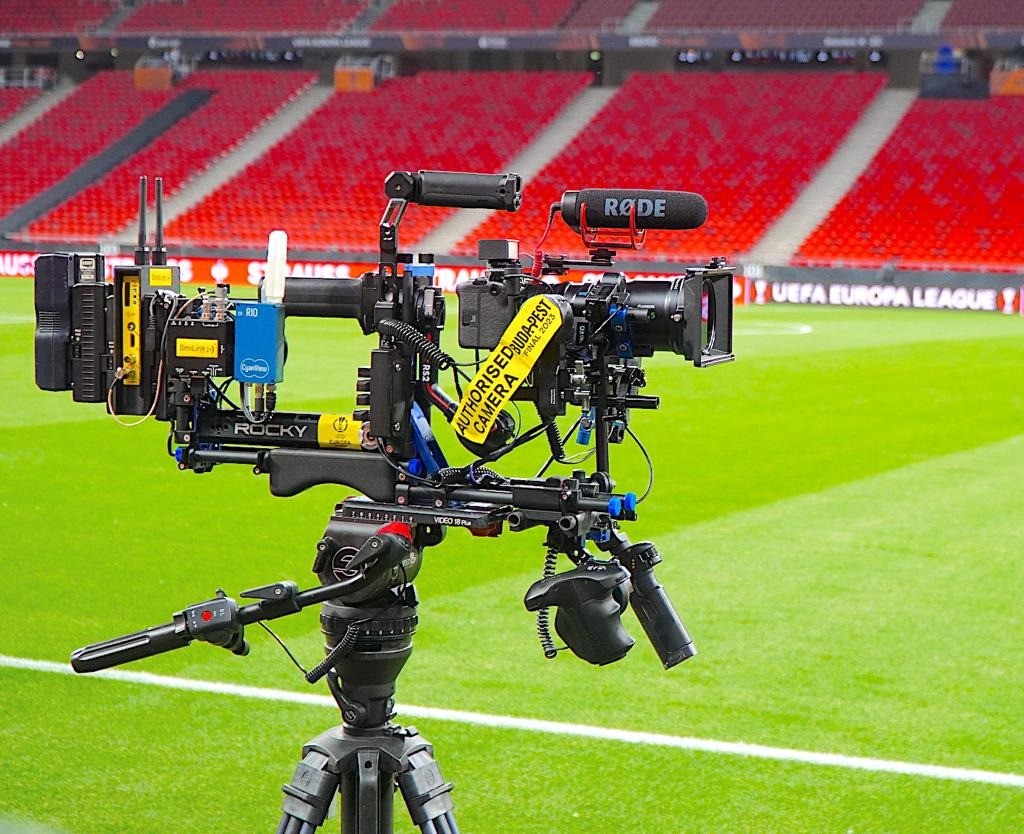
FX30 with Fujinon 18-55 mm
Andy from 4ACrew using his Rocky gear with Cyanview:
- FX30 camera
- Fujinon 18-55 mm lens
- RIO with a ZTE 4G USB stick
- VP4
- RCP
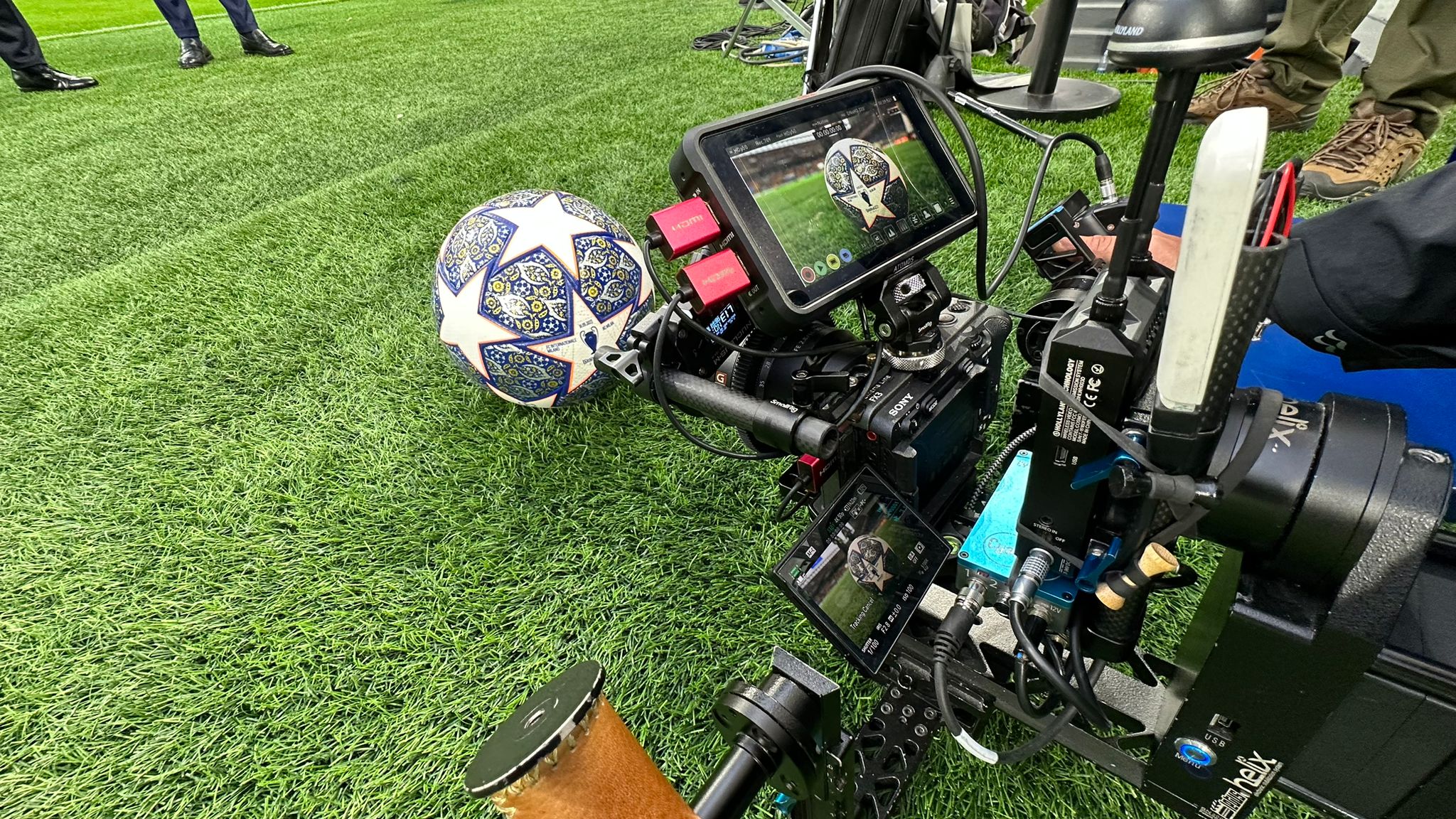
FX3 with Sony FE 16-35 mm F2.8 GM
Fabry (freelance) using his Cyanview kit:
- FX3 camera
- Sony FE 16-35 mm F2.8 GM lens
- RIO with a Huawei 4G USB stick
- VP4
- RCP
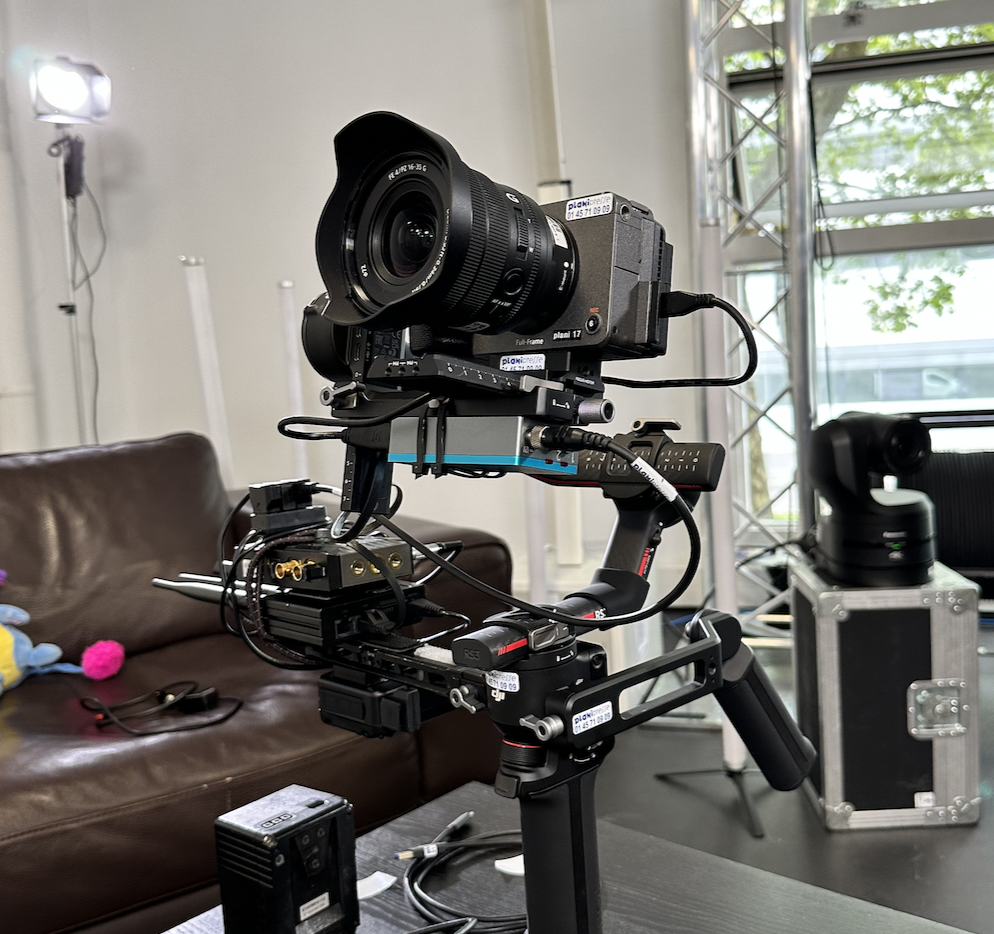
FX3 with RIO 4G using an RUT240
- FX3 camera
- Sony FE PZ 16-35 mm F4 G lens
- RIO with a Teltonika RUT240 4G router (an external antenna makes the connection more stable)
- Cyanview tally light (tally input from an ATEM via the RCP, tally output from the tally module on RIO port 1)
- DJI RS3 Pro gimbal
- CV-HD Pro800 for video transmission
- VP4
- RCP