CI0 Status Display
Source
This content is based on Cyanview's official manuals. Always check the official page for the latest information and precise specifications.
https://support.cyanview.com/docs/Manuals/CI0/CI0Manual
https://support.cyanview.com/docs/Manuals/CI0/CI0Manual
CI0's network connection status is shown on the LCD screen on its side.
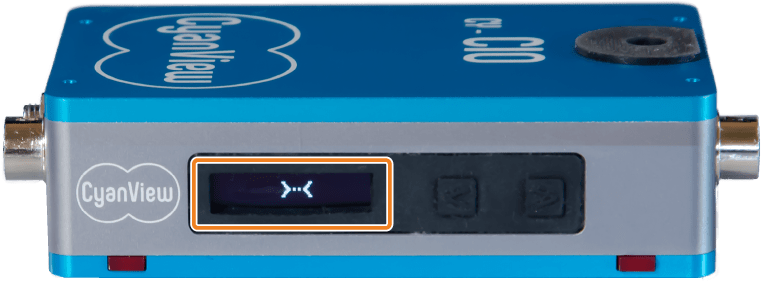
Status Indicators
| State | Screen Display |
|---|---|
| Waiting for network connection |  |
| Network connected, but no RCP |  |
| RCP discovered |  |
| Camera 01 configured on Port 1 but not connected |  |
| Camera 01 connected to CI0 Port 1 |  |
| Camera connected to Port 2 |  |
| Status of the 3rd port (center display) when using CY-CI03P |  |
Pressing the button next to the screen cycles through the following information. After a few seconds, the display automatically returns to the default view.
- Camera name on Port 1
- Camera name on Port 2
- CI0's IP address
- CI0's MAC address