Advanced mode
Source
This content is based on Cyanview's official manuals. Always check the official page for the latest information and precise specifications.
https://support.cyanview.com/docs/Configuration/advanced/SerialCam
https://support.cyanview.com/docs/Configuration/advanced/SerialCam
Introduction
Advanced mode lets you configure detailed parameters for serial cameras such as Dreamchip and Marshall.
Switching to advanced mode
- In the RCP Configuration UI, select the target camera
- Click "..." in the top right
- Click the popup message that appears to toggle it (the status shown in the example is "OFF")
Advanced settings
The "Camera Head" section has the following three items.
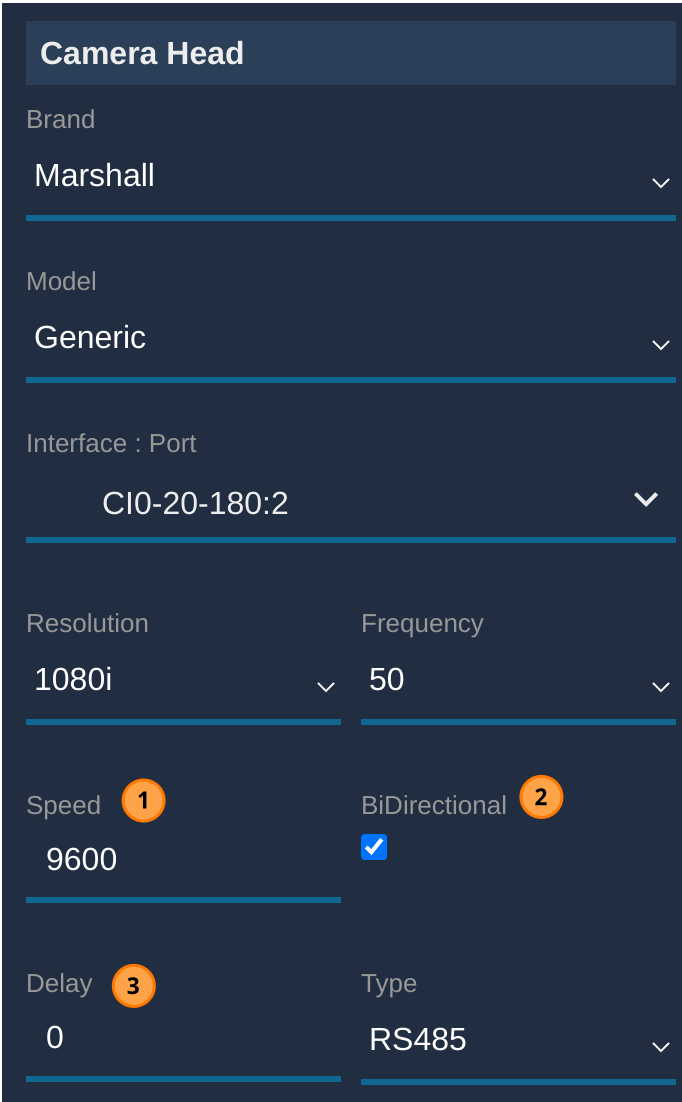
| Item | Description |
|---|---|
| Speed | Adjusts the baud rate between the CI0/RIO and the camera |
| Bidirectional | Uncheck this for one-way communication, such as with half-duplex HF modems |
| Delay | Only configurable when Bidirectional is enabled. Sets an additional timeout for cases where full-duplex HF modems, for example, have a delay switching between Rx/Tx |