Streaming
Source
This content is based on Cyanview's official manuals. Always check the official page for the latest information and precise specifications.
https://support-next.cyanview.com/docs/products/software/cyan-camera-app
https://support-next.cyanview.com/docs/products/software/cyan-camera-app
CyanCamera can send video using three protocols: RTP / SRT / WebRTC.
Basic steps
- Open STREAM in the bottom toolbar.
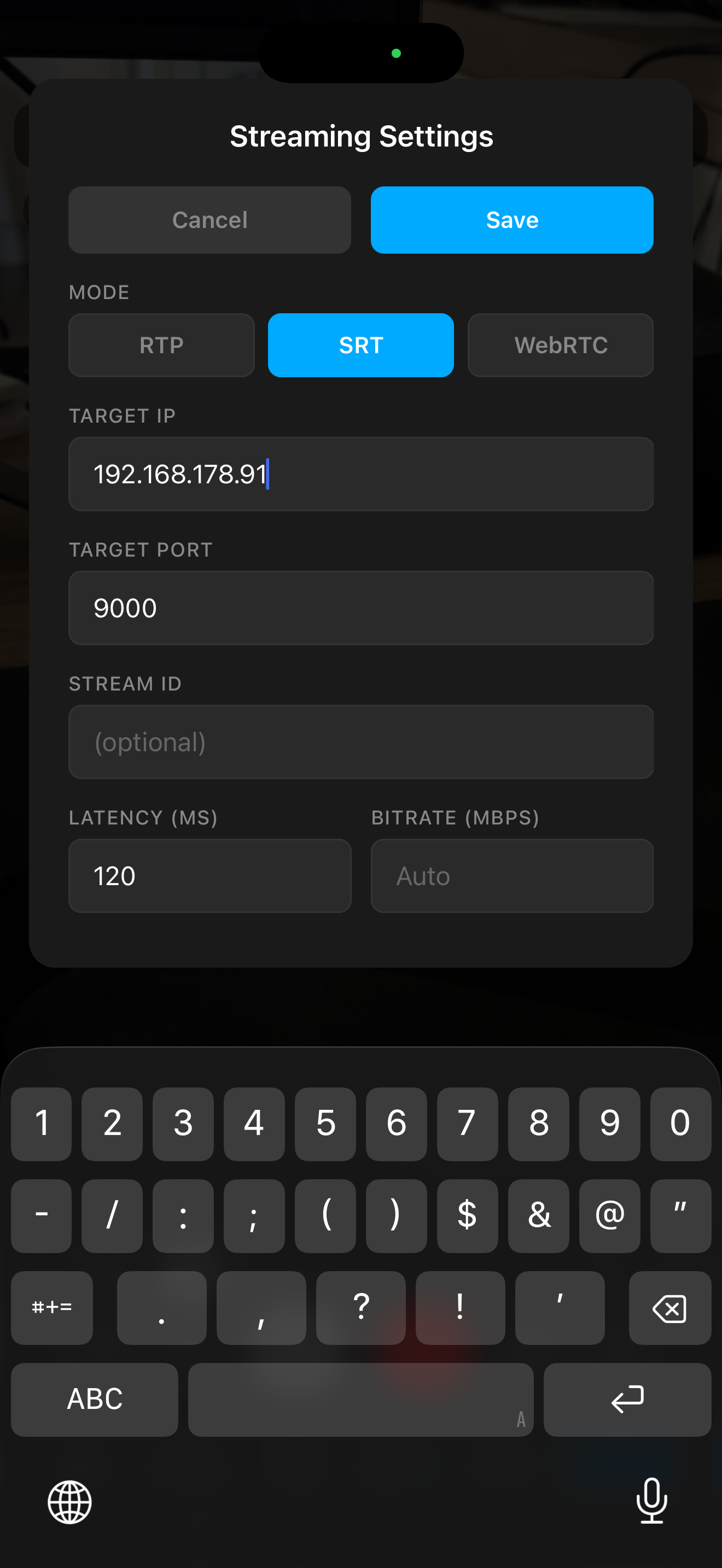
- Configure the protocol you want to use and tap Save.
- Start / stop the stream with LIVE (it can also be started / stopped from an RCP custom button).
Settings by protocol
RTP (local network)
| Setting | Description |
|---|---|
| Target IP | Destination IP address |
| Port | Port number (default 4444) |
| Bitrate | Bitrate (blank = Auto) |
| Codec | H.264 / H.265 |
| Bit Depth | Auto / 8-bit / 10-bit (10-bit forces HEVC) |
SRT (over the internet)
| Setting | Description |
|---|---|
| Connect Mode | Caller / Listener |
| Target IP / bind address | Destination IP address (or the bind address in Listener mode) |
| Port | Port number (default 9000) |
| Stream ID | Stream ID |
| Latency | Latency (default 120 ms) |
| Bitrate | Bitrate |
| Passphrase | Encryption passphrase |
| Codec / Bit Depth | Codec and bit depth |
| Audio / Audio Bitrate | Audio on/off and audio bitrate |
| Auto Reconnect | Automatic reconnection |
WebRTC
| Setting | Description |
|---|---|
| Boombox Server URL | URL of the Boombox server (ws://…) |
:::caution Streaming Apple Log A warning appears if the source is Apple Log with no LUT active. Receivers would see washed-out footage. Apply an Apple Log to Rec.709 LUT in Color (LUT). :::
Receiver test examples (on a computer)
To check that the stream can be received, you can use commands like these on a computer. They require tools such as FFmpeg (ffplay).
SRT server + preview
srt-live-transmit "srt://0.0.0.0:9000?mode=listener" "udp://127.0.0.1:5000" & ffplay -i "udp://127.0.0.1:5000"
SRT server + HDR preview (using mpv)
mpv 'srt://0.0.0.0:9000?mode=listener' \
  --hwdec=videotoolbox \
  --vo=gpu-next \
  --target-colorspace-hint=yes \
  --loop-file=inf \
  --keep-open=always \
  --idle=yes \
  --demuxer-thread=yes \
  --network-timeout=0
RTP server + preview
ffplay -fflags nobuffer -flags low_delay -framedrop -probesize 32 -analyzeduration 0 -sync ext -protocol_whitelist file,udp,rtp -f sdp -i <(echo -e "v=0\nm=video 4444 RTP/AVP 96\nc=IN IP4 0.0.0.0\na=rtpmap:96 H264/90000")