IJ Troubleshooting
Source
This content is based on Cyanview's official manuals. Always check the official page for the latest information and precise specifications.
https://support.cyanview.com/docs/Manuals/IJ/IrisJoystick
https://support.cyanview.com/docs/Manuals/IJ/IrisJoystick
If the joystick does not start
If the screen stays off and none of the buttons light up, this may indicate a hardware failure or a firmware issue. If an automatic firmware update fails, the unit may not reboot correctly.
Try the following steps:
- Open the RCP
- With the unit completely powered off, press the blue switch on the board
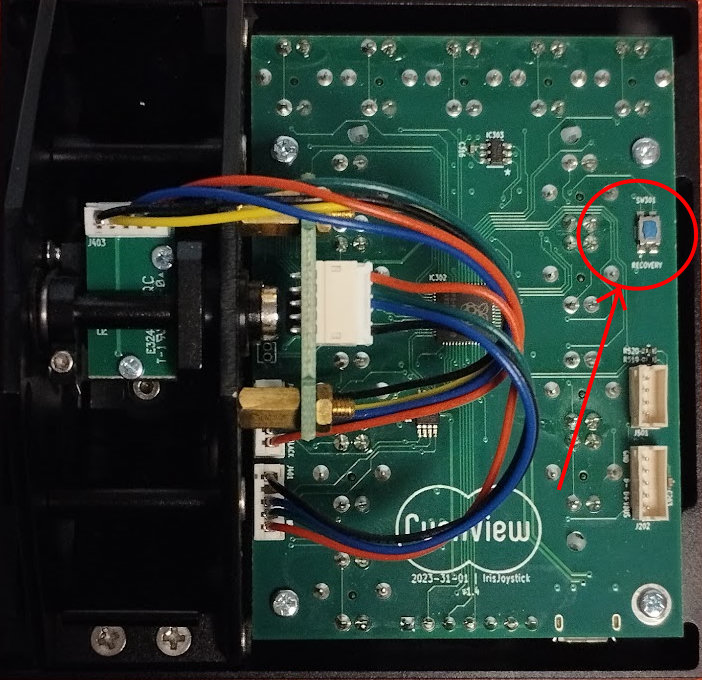
- While holding the switch, connect the RCP, and keep holding it for 2 more seconds
- The joystick should start within about 1 minute
caution
If the joystick still does not start after following the steps above, it is likely a hardware failure. Please submit an RMA (return/repair) request.