Anxinshi PTZ USB Joystick
Source
This content is based on Cyanview's official manuals. Always check the official page for the latest information and precise specifications.
https://support.cyanview.com/docs/Integrations/Accessories/AnxinshiPTZUSBJoystick
https://support.cyanview.com/docs/Integrations/Accessories/AnxinshiPTZUSBJoystick
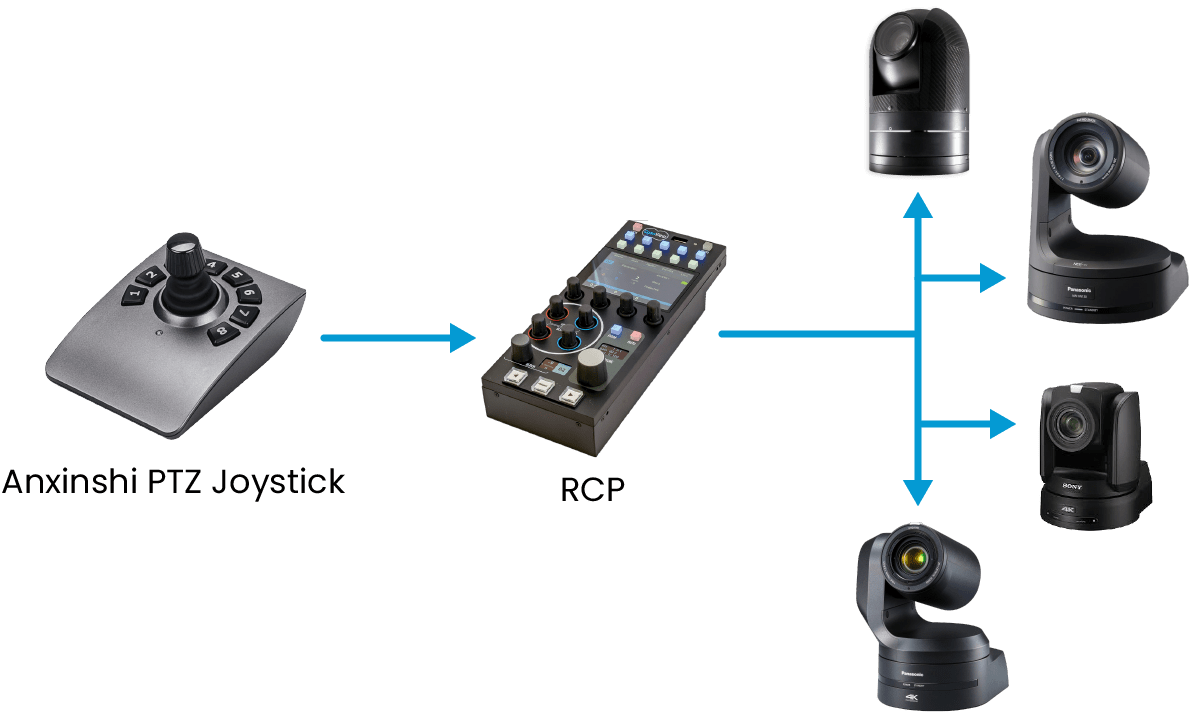
The Anxinshi joystick can control any PTZ camera supported by the Cyanview RCP. All PTZ cameras configured on the RCP can be controlled with a single joystick.
The Anxinshi joystick is available here or here.
Configuration
-
If not done yet, configure your PTZ cameras in the RCP (see Integrating PTZ Cameras).
-
Connect the PTZ USB joystick to a USB port on the RCP.
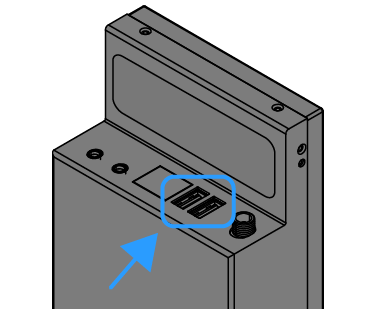
-
Configure the PTZ USB joystick on the Configuration page of the RCP's Configuration Web UI.
-
The joystick now controls your PTZ cameras via the Cyanview RCP.
Operation
Load/Save Positions
- A long press on a button saves the PTZ position
- A short press moves the PTZ to the previously saved position
Positions can be saved/loaded from the Anxinshi joystick, the RCP LENS menu, or an Elgato Stream Deck.