Integrating PTZ Cameras
https://support.cyanview.com/docs/Integrations/Generic/PTZ
This guide describes how to configure PTZ (pan/tilt/zoom) cameras with a Cyanview system.
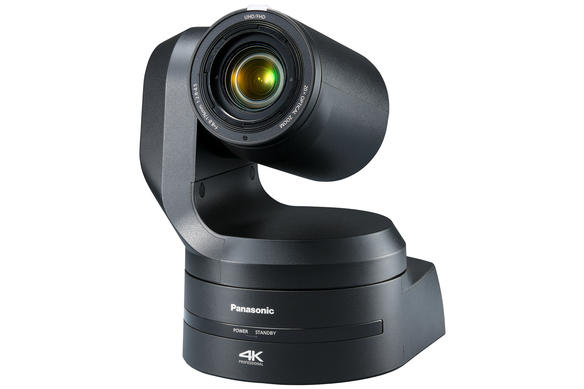
Compatible PTZ Models
| Manufacturer | Models |
|---|---|
| BirdDog | P100, P200, P400, P4K, X1, X4, X5 |
| Canon | CR-N300, CR-N500 |
| Panasonic (AW-HE series) | AW-HE40, AW-HE42, AW-HE50, AW-HE60, AW-HE70, AW-HE120, AW-HE130 |
| Panasonic (AW-UE series) | AW-UE70, AW-UE100, AW-UE150 |
| Panasonic (AW-HR series) | AW-HR140 (use the AW-HE130 model) |
| Sony | ILME-FR7, BRC-X1000, BRC-X400, BRC-H900, BRC-H800 |
| Z CAM | P2-R1 |
If your model is not listed, try a similar or close model. If that doesn't work, contact Cyanview support.
Controls
- Exposure
- White balance
- Black balance
- Advanced shading (multi matrix, etc.), depending on camera compatibility
- Pan/tilt/zoom/focus
For a more detailed list, check whether your model has its own integration guide.
Wiring
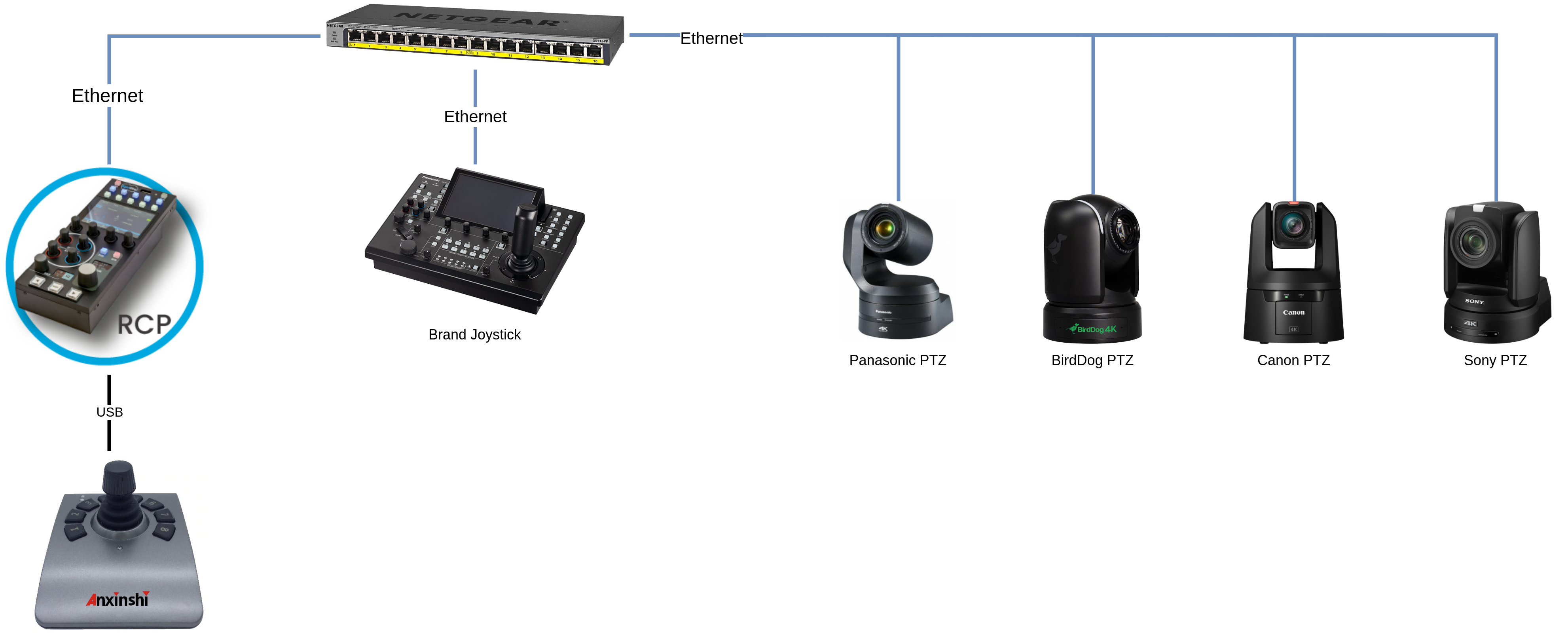
Compatible Cyanview devices: RCP, RIO
PTZ cameras are controlled over IP, so connect the camera and the RCP/RIO to the same network. If the RCP/RIO doesn't have an IP address in the same range (subnet) as the camera, add one in the LAN section by following the IP Configuration guide.
Setup
This example uses a Panasonic AW-UE150, but the setup is similar for all other PTZ cameras. A single RCP can handle multiple PTZ cameras from multiple brands without any issue.
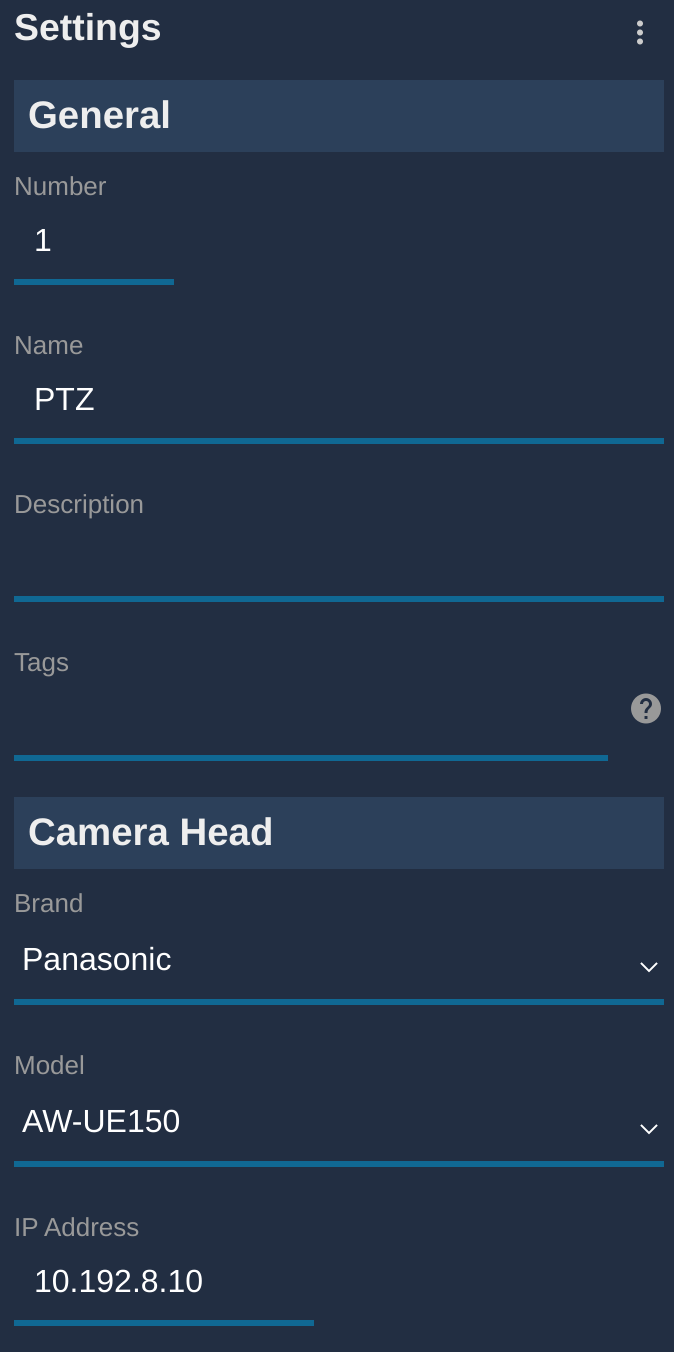
- Click "+" in the camera block. A new panel appears on the right.
- In "General", configure a Number and a Name.
- Select the brand (here, Panasonic).
- Select the model (here, AW-UE150).
- Enter the IP address of your PTZ camera.
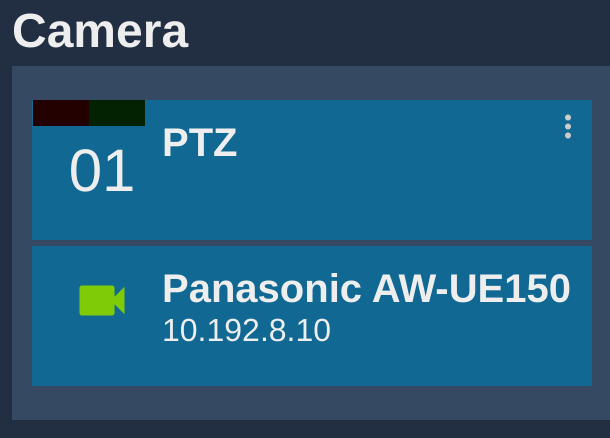
If everything went well, the camera block turns green.
Pan/Tilt Control Options
Once the camera is configured, you can use:
- Cyanview RCP (shading) with a Sony joystick panel (RM-IP500)
- Cyanview RCP (shading + pan/tilt/zoom/focus) from the touchscreen. See the Scene screen for details.
- Cyanview RCP (shading + pan/tilt/zoom/focus) from a USB joystick. See Anxinshi PTZ USB Joystick for details.
Remote Control / Remote Production
Even though PTZ control is IP-based, it can be useful to combine a PTZ camera with a RIO (with AVIWEST, for example). You can also combine local shading on one RCP with remote shading from anywhere in the world using a second RCP. For more information, see REMI.