Haivision MoJoPro
Source
This content is based on Cyanview's official manuals. Always check the official page for the latest information and precise specifications.
https://support.cyanview.com/docs/Integrations/Haivision/Mojopro
https://support.cyanview.com/docs/Integrations/Haivision/Mojopro
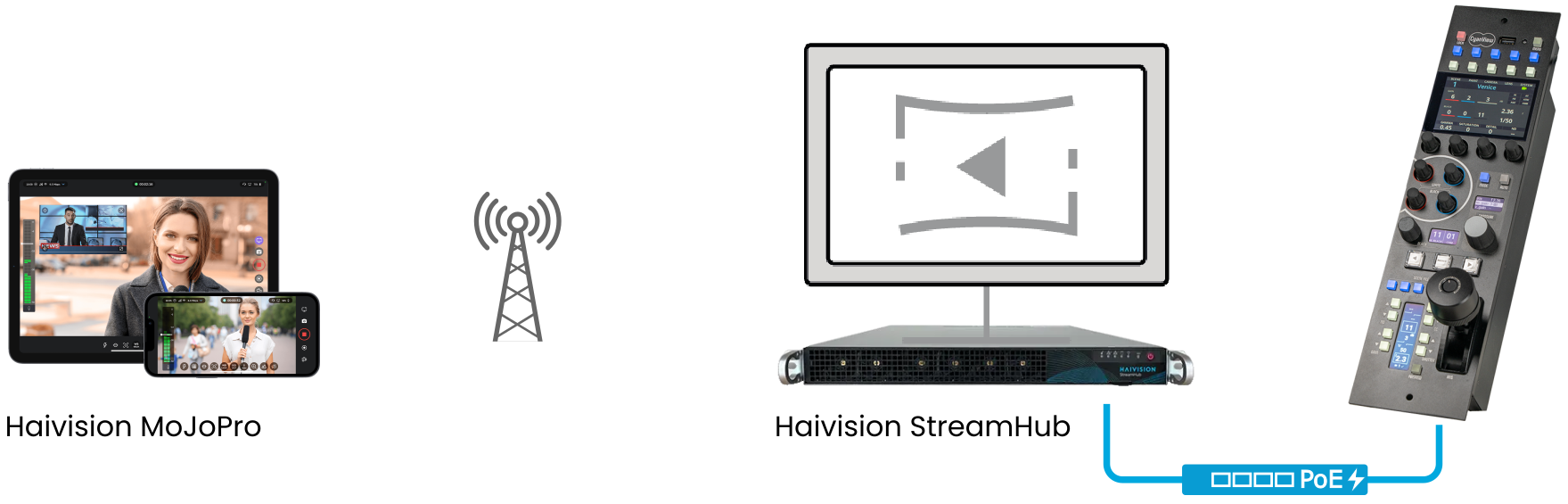
Haivision MoJoPro is an iOS/Android app that enables live video transmission from a smartphone. The Cyanview RCP can manage a range of parameters via StreamHub, making it well suited to workflows such as news gathering or unmanned POV camera operation where remote adjustment is needed.
Supported Control Features
| Feature | Description |
|---|---|
| Gain | Manual (ISO)/AUTO |
| Exposure | Manual or AUTO shutter |
| White balance | Adjustable color temperature (K) |
| Focus | Manual/AUTO focus |
| Zoom | Supported |
Setup Procedure
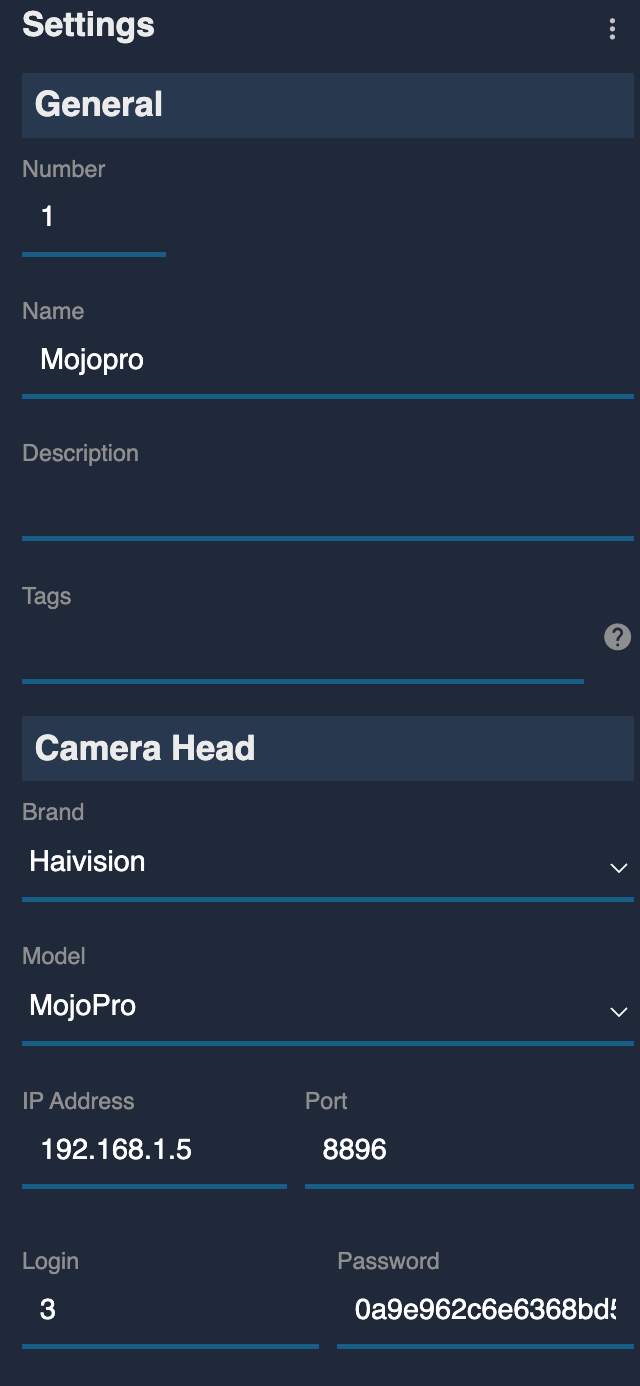
- When adding a camera, select "Haivision - MoJoPro" as the model
- In the IP address field, enter the StreamHub's IP address, not the smartphone's, and confirm it's on the same network as the RCP
- In the port field, enter
8896(the REST API port used by StreamHub) - In the MoJoPro app's "Login" field, set the number of the StreamHub input the MoJoPro is connected to (1–16)
- In the MoJoPro app's "Password" field, enter the StreamHub's
api_key. You can find the API key in the StreamHub Web UI under "Admin > Rest API doc" (top right corner). For details, see the StreamHub User Guide