Camera Controls
Source
This content is based on Cyanview's official manuals. Always check the official page for the latest information and precise specifications.
https://support.cyanview.com/docs/Manuals/multi-cam-dashboard
https://support.cyanview.com/docs/Manuals/multi-cam-dashboard
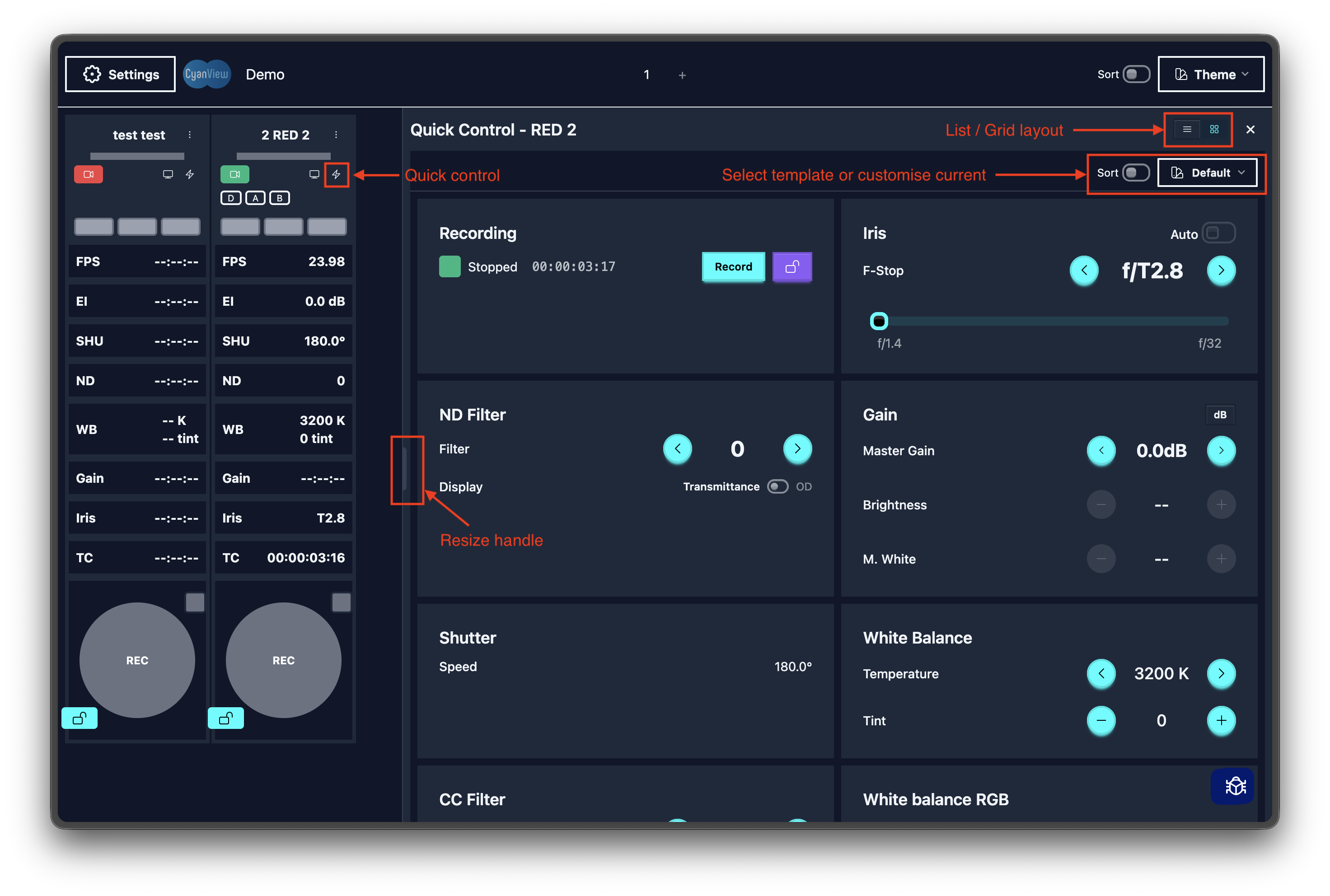
Quick Controls
Clicking a camera card opens the quick control panel, letting you make fast adjustments.
- Switch between list/grid view
- Drag the left edge to resize
- Close by clicking outside the panel or pressing
X
Full Camera Controls
Clicking the camera name gives you access to all control items.
| Category | Description |
|---|---|
| Recording | Start/stop recording |
| Lens | Iris, ND filter, focus, zoom |
| Exposure | Gain, shutter, auto exposure |
| Color | White balance, RGB, saturation, hue, LUT |
| Output | SDI settings, test pattern |
| Format | Resolution, frame rate, codec |
