Working with Scenes
Source
This content is based on Cyanview's official manuals. Always check the official page for the latest information and precise specifications.
https://support.cyanview.com/docs/Manuals/multi-cam-dashboard
https://support.cyanview.com/docs/Manuals/multi-cam-dashboard
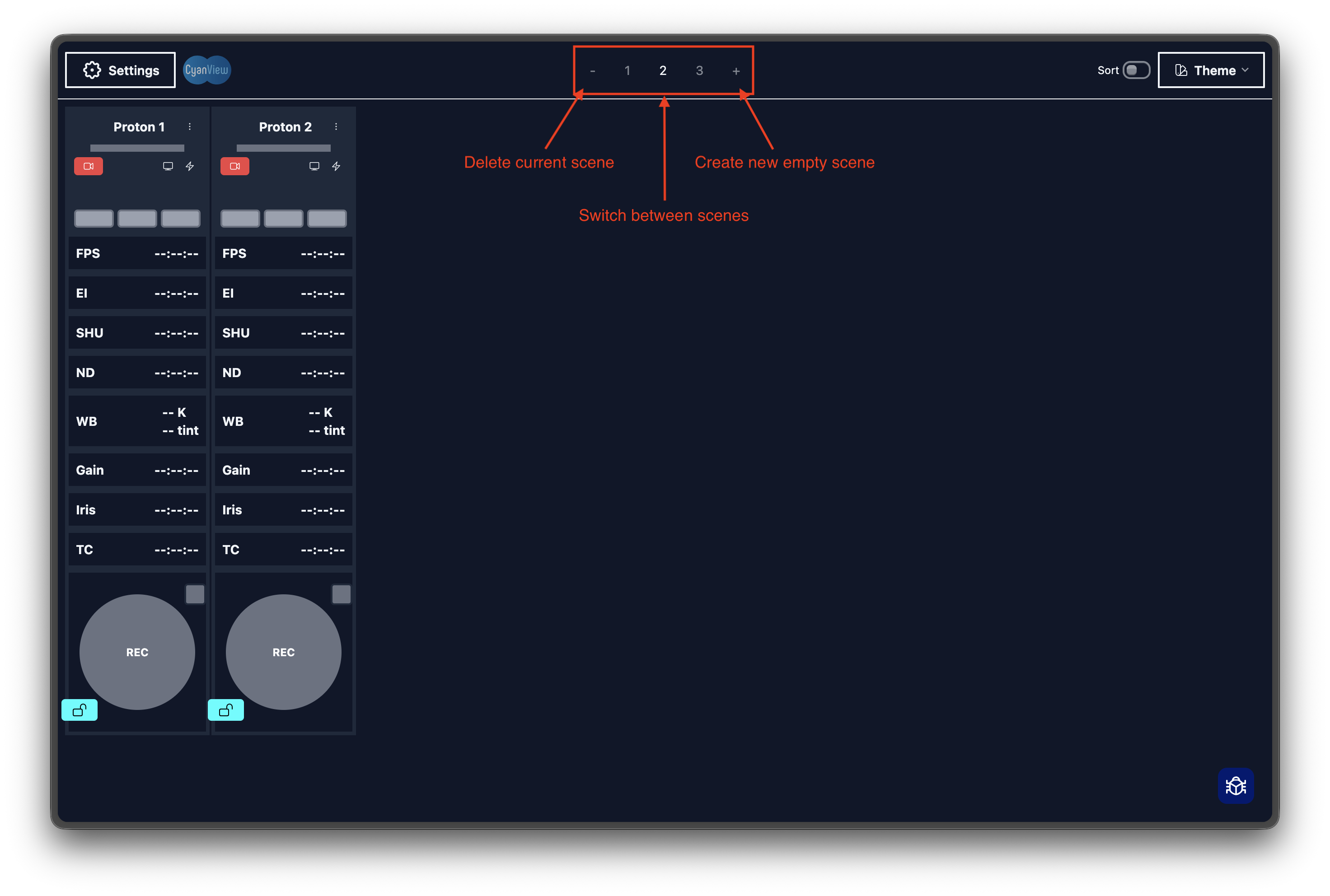
A scene is a way to group cameras together (for example, "Studio A" or "Field Shoot").
- Switch between scenes using the tabs at the top
- Create a new scene with the
+tab - Delete a scene with the
-on its tab - Change the layout via Settings → Scene Settings → Scene Design