Custom Templates
Source
This content is based on Cyanview's official manuals. Always check the official page for the latest information and precise specifications.
https://support.cyanview.com/docs/Manuals/multi-cam-dashboard
https://support.cyanview.com/docs/Manuals/multi-cam-dashboard
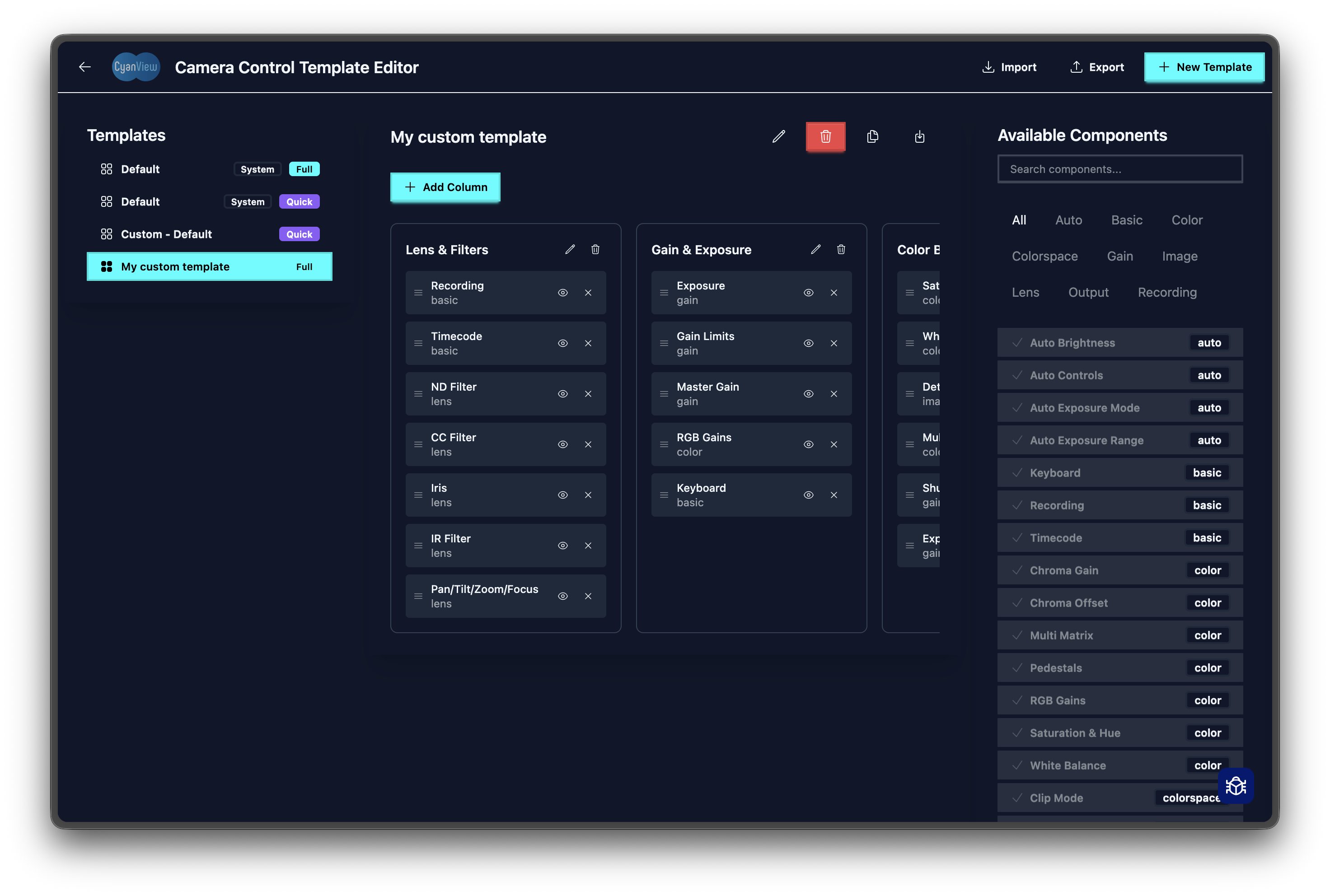
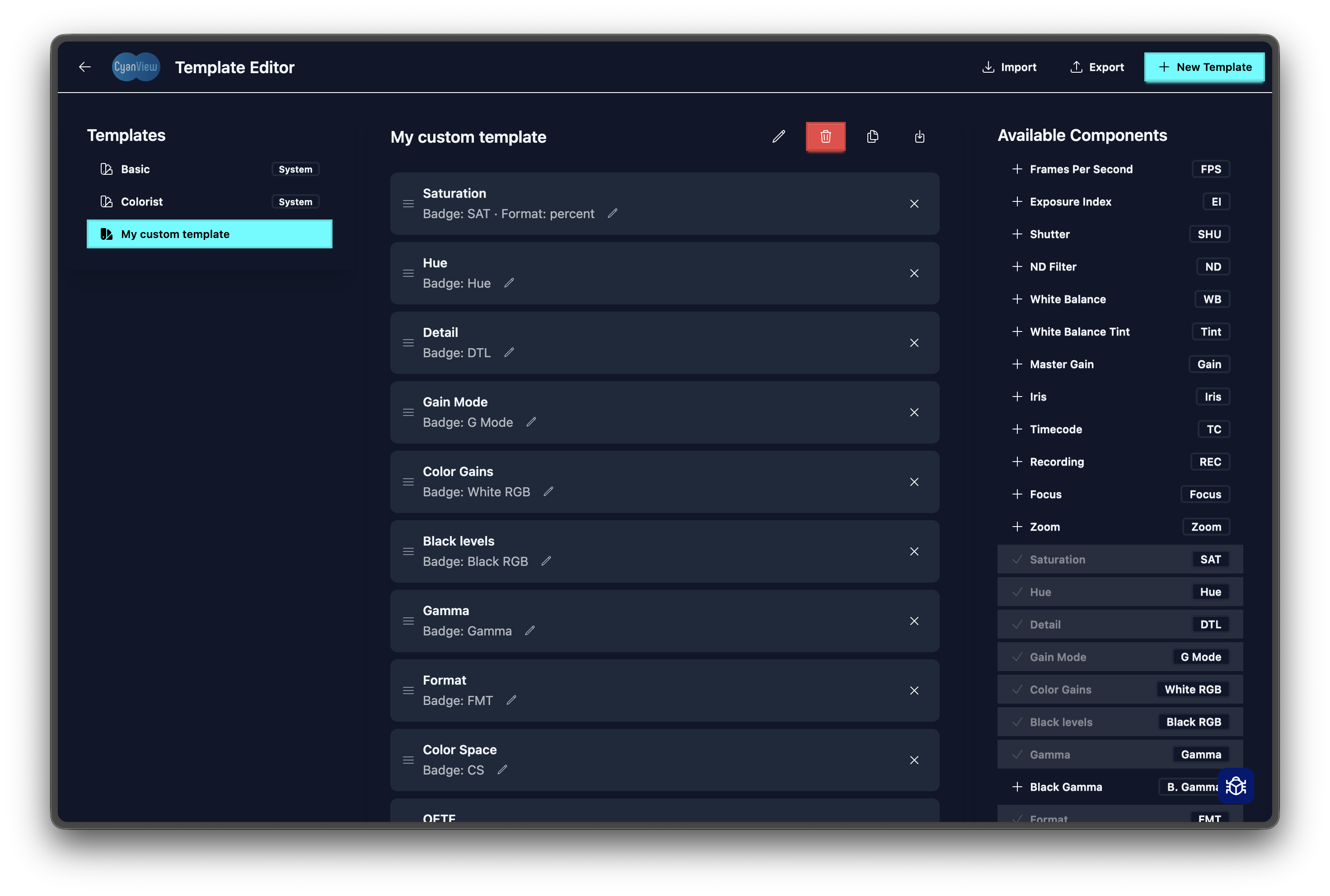
You can create custom dashboard and control layouts to match your workflow.
- Go to Settings → Dashboard templates
- Click "Create New Template"
- Drag controls to reorder them
- Remove any controls you don't need
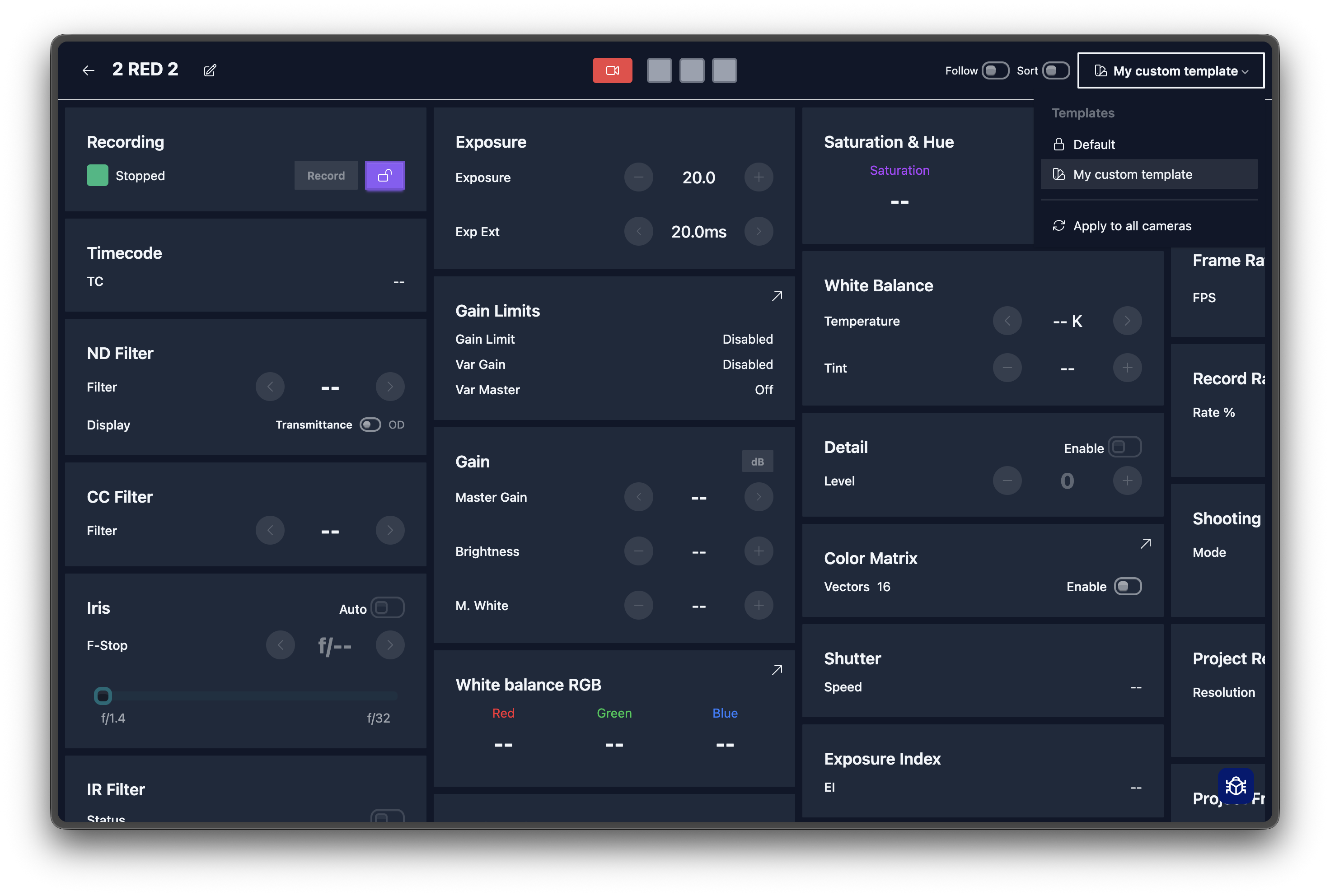
- Apply the template to a camera
note
There are two types of control templates: a "quick" version and a "full" version.
Applying a Template
- Single camera: Open the camera → apply the template
- All cameras: Dashboard templates → "Apply to All"
Sharing Templates
- Export: Settings → Dashboard templates → Export
- Import: Settings → Dashboard templates → Import (drag and drop)
Dashboard templates:
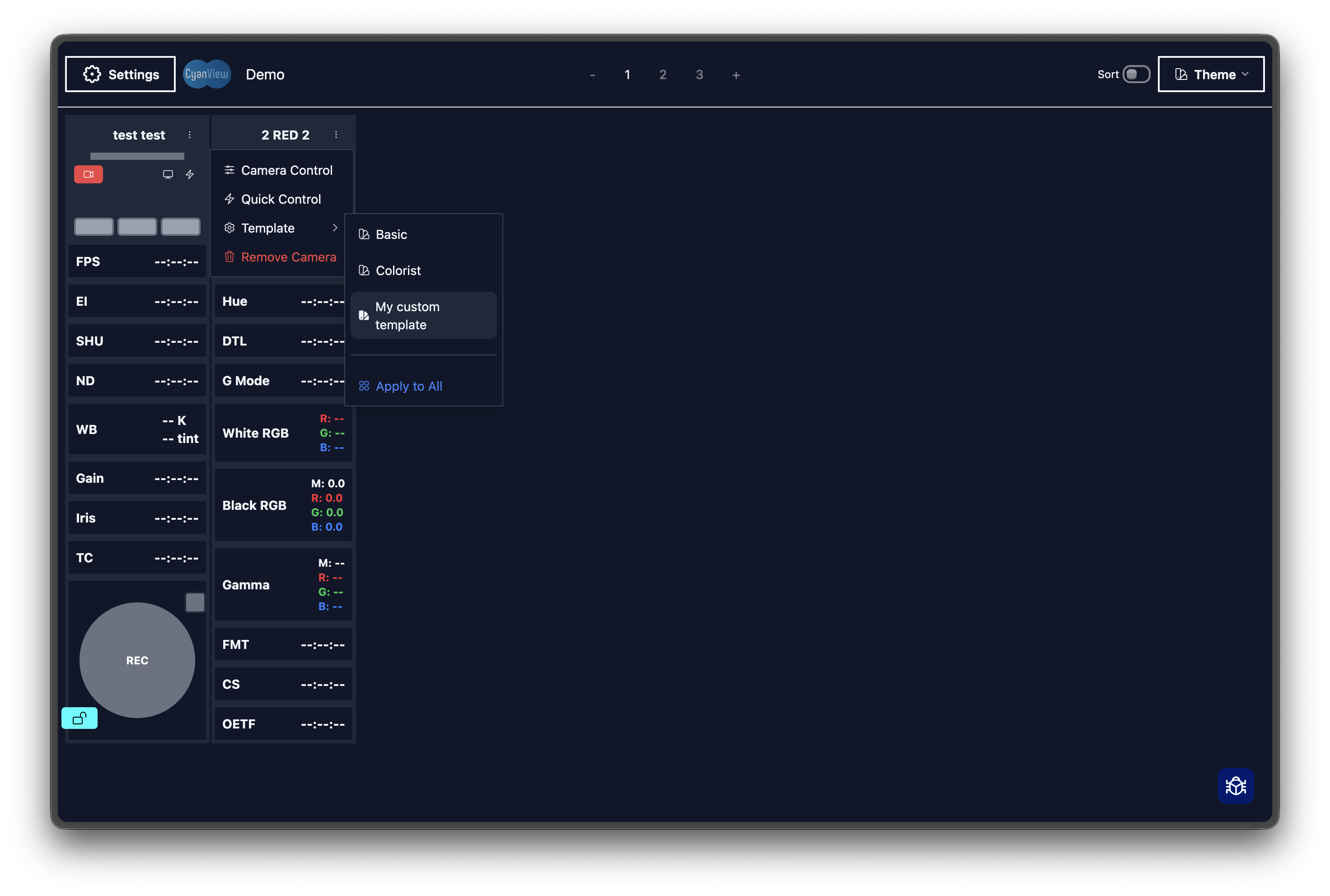
Control templates: