NIO Setup (GPI/GPO)
Source
This content is based on Cyanview's official manuals. Always check the official page for the latest information and precise specifications.
https://support.cyanview.com/docs/Manuals/NIOManual
https://support.cyanview.com/docs/Manuals/NIOManual
Setup Procedure
- Power on the RCP
- Power on the NIO
- Connect both devices to the same network (switch)
That's all it takes — the NIO will appear in light gray on the RCP screen.
GPI Configuration
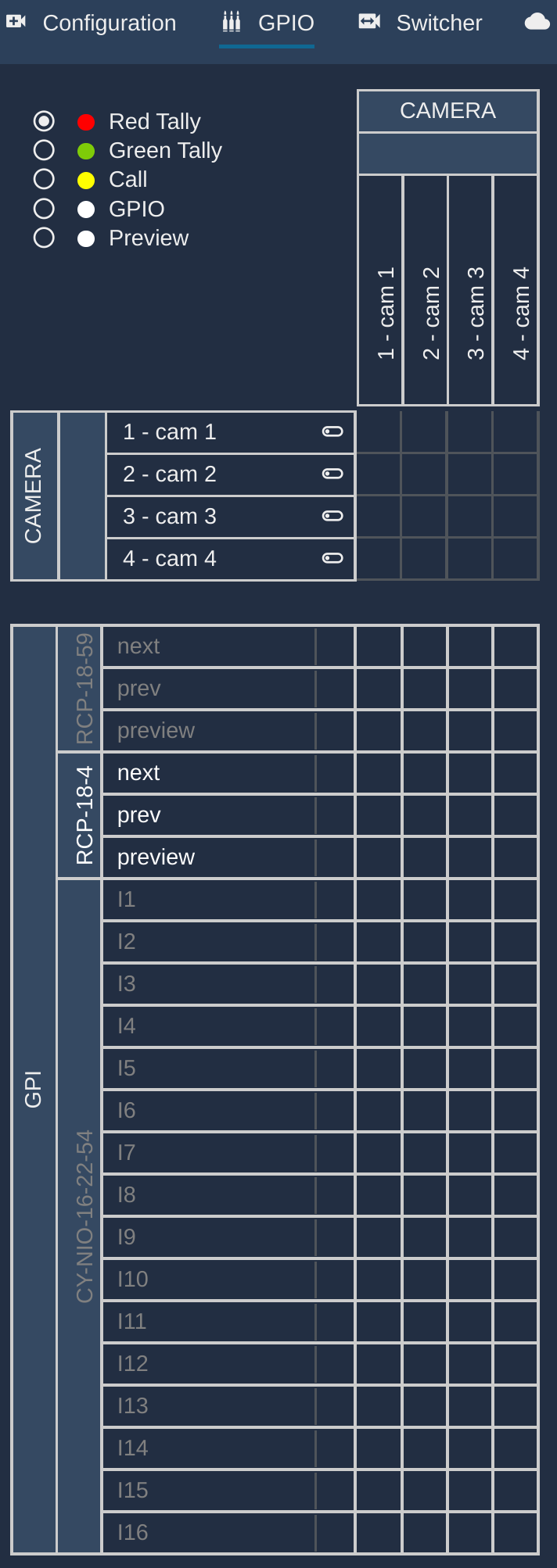
Then configure it as usual (see "GPI" in Tally Configuration).
If you are not using a dry contact closure, the input voltage must be kept below 5V.
GPO Configuration
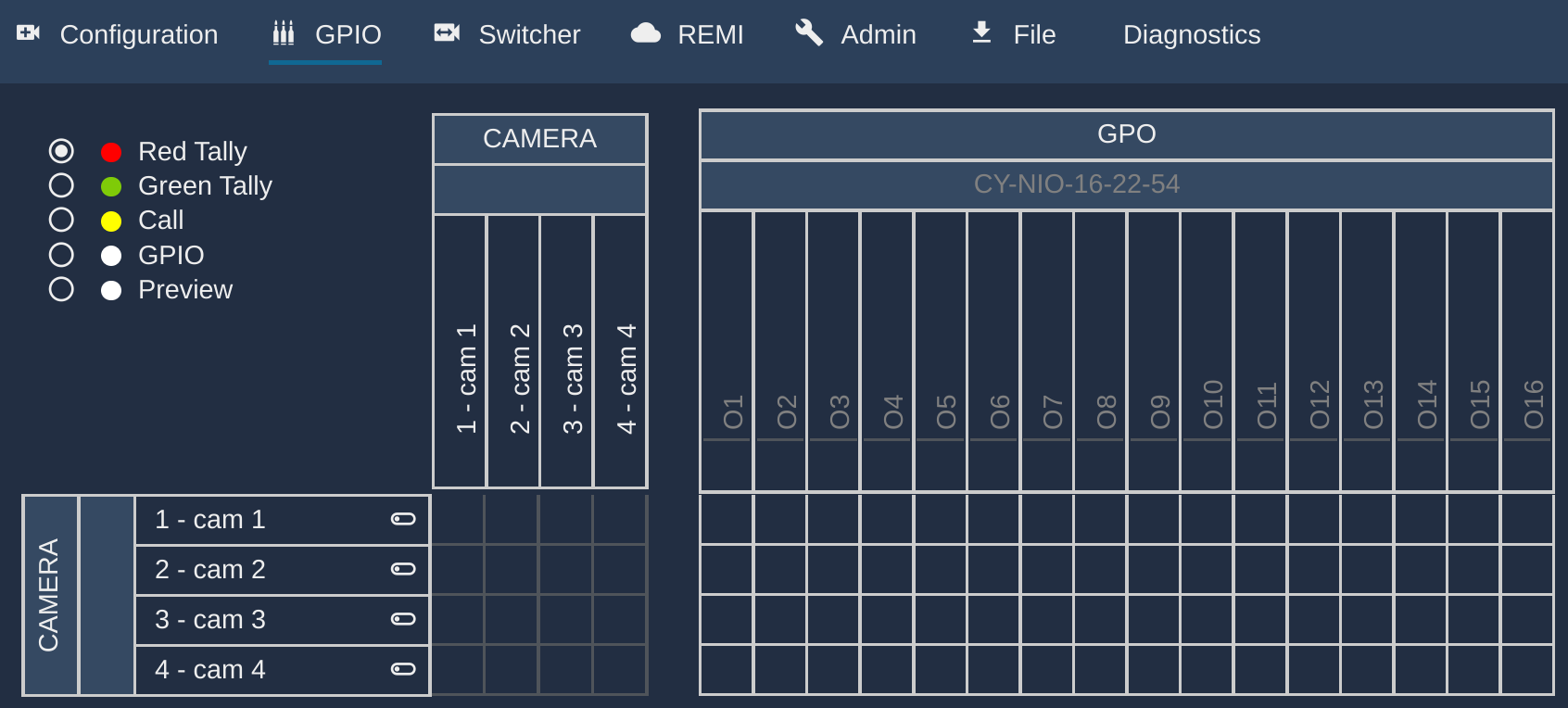
Then configure it as usual (see "GPO" in Tally Configuration).
| State | Output Voltage |
|---|---|
| LOW | 0V |
| HIGH | 5V |
- Output current: 500µA