RCP UI - Settings (RCP Settings)
Source
This content is based on Cyanview's official manuals. Always check the official page for the latest information and precise specifications.
https://support.cyanview.com/docs/Manuals/RCP/RCPUI/RCPUISettings
https://support.cyanview.com/docs/Manuals/RCP/RCPUI/RCPUISettings
Path: MENU > SYSTEM > SETTINGS
Settings
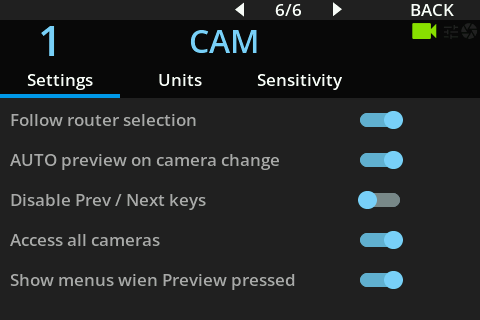
| Setting | Value | Description |
|---|---|---|
| Follow router selection | ON/OFF | The active camera on the RCP follows the output of the switcher (router) associated with this RCP's monitor |
| AUTO preview on camera change | ON/OFF | Triggers a preview automatically when changing camera (prev/next). When OFF, you need to press the preview button after changing camera |
| Disable Prev / Next keys | ON/OFF | Disables the prev/next keys, so the RCP can't change its active camera with the buttons |
| Access all cameras | ON/OFF | When OFF, this RCP's camera list follows the camera_list setting (defined in the RCP block of /dev/app.html in the web UI) |
| Show menus when Preview pressed | ON/OFF | When ON, displays the preview menu (camera list, keypad, list, groups) |
| Display all assignable buttons | ON/OFF | When ON, the functions/views assigned to the blue buttons are also shown on the main view (see Assignables) |
| Display GREEN values on main view | ON/OFF | When ON, the green gain and green pedestal values are shown on the main view |
Units
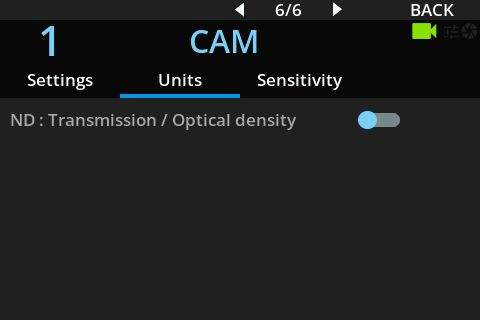
| Setting | Value | Description |
|---|---|---|
| ND: Transmission / Optical density | Transmission / Optical density | How ND filter values are displayed: transmission (1/4, 1/16, etc.) or optical density (0.2, 1.8, etc.) |
Sensitivity

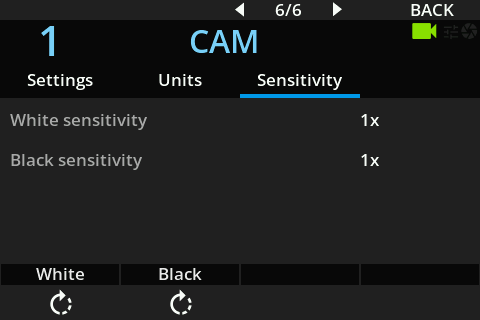
| Setting | Value | Description |
|---|---|---|
| White sensitivity | x1 / x2 / x4 | Changes the step size when turning the white encoders |
| Black sensitivity | x1 / x2 / x4 | Changes the step size when turning the black encoders |
| Black Joystick sensitivity | x1 / x2 / x4 | Changes the step size when turning the joystick ring |
:::info Example One turn of the red white encoder on a Dreamchip camera changes the value by the following amount, depending on White sensitivity:
- x1: 80
- x2: 40
- x4: 20
A higher ratio gives smaller steps and more precision. :::